Oh no! Where's the JavaScript?
Your Web browser does not have JavaScript enabled or does not support JavaScript. Please enable JavaScript on your Web browser to properly view this Web site, or upgrade to a Web browser that does support JavaScript.

AROS One ABIv11 64Bit Work In Progress

Last updated on 4 hours ago
M
miker1264Software Dev
Posted 1 month ago
It's nice to see that AROS 64bit is getting some needed attention!!

What is the most recent version of AROS One x86 ?
Edited by miker1264 on 22-05-2026 15:02, 1 month ago
AMIGASYSTEMAMIGASYSTEMDistro Maintainer
Posted 1 month ago
The latest versions of AROS One are:

AROS One 64bit v1.3
AROS One 32bit v2.9

https://sites.goo...ew/arosone
AMIGASYSTEMAMIGASYSTEMDistro Maintainer
Posted 20 days ago
Super Trevor Land, a multi-platform game developed in Hollywood and compatible with AROS 64-bit!

At the moment, the game runs a bit slowly on AROS, but the developer is working on improving its performance!

https://amigaworl...mp;forum=9
AMIGASYSTEM attached the following image:
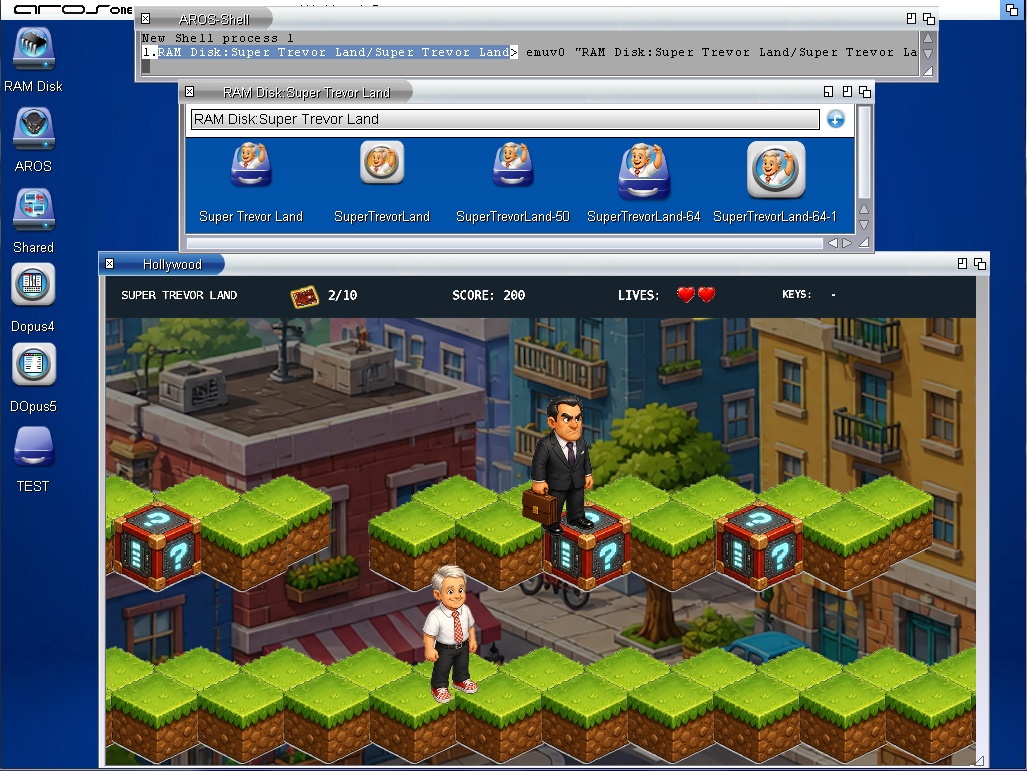
super_trevor_land.jpg
AMIGASYSTEMAMIGASYSTEMDistro Maintainer
Posted 18 days ago
Thanks to the PrBoom port compiled by retrofaza, I have created two small GUIs that will be available in the next version of AROS One 64-bit; these will allow you to run all the versions of Doom listed in the GUIs.

One of the GUIs will allow you to launch the four chapters: Doom1, Doom2, Plutonia and TNT. These versions of Doom require WAD files, which must be extracted from the original games and copied into the Doom subfolder.

The second GUI, on the other hand, will allow you to launch the ‘Freedm’, ‘FreeDoom1’ and ‘FreeDoom2’ chapters with a single click; these chapters are available on AROS One 64-bit in the Doom subfolder.

You can also use the excellent remastered music for Doom and Doom 2 composed by Andrew Hulshult (Music.wad to be copied into the Music subfolder), which can be downloaded from the link below.

https://drive.goo...sp=sharing

If the Music.wad file is not present, it will be ignored and you will still be able to play.
AMIGASYSTEM attached the following image:
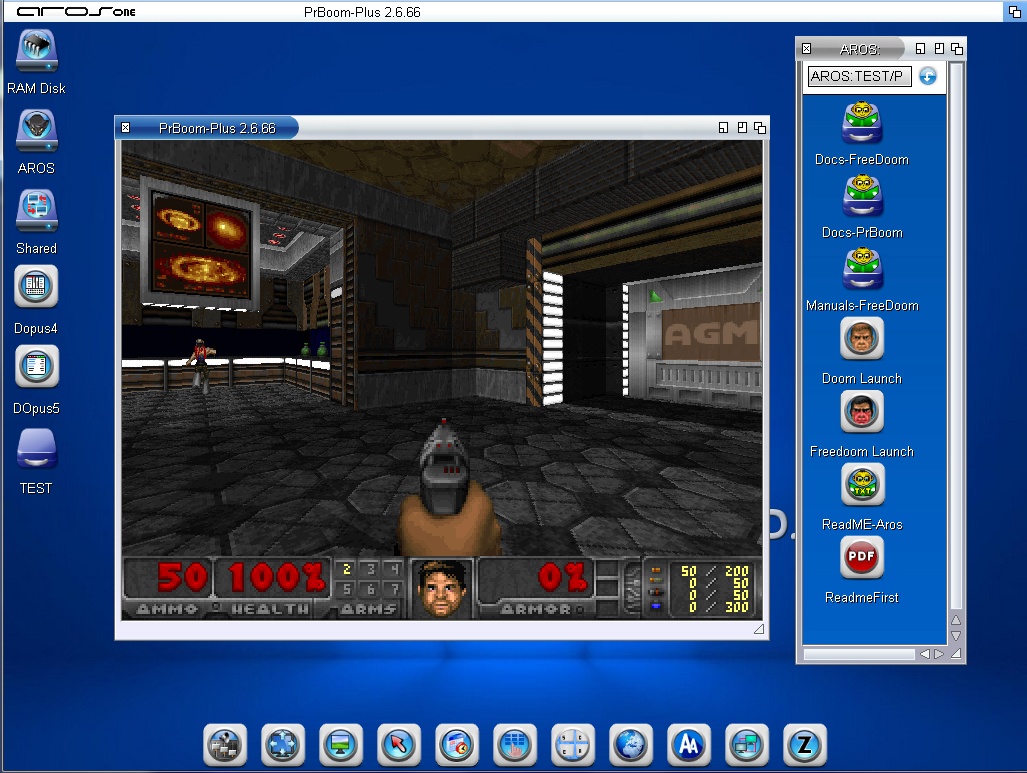
freedoom.jpg
AMIGASYSTEMAMIGASYSTEMDistro Maintainer
Posted 14 days ago
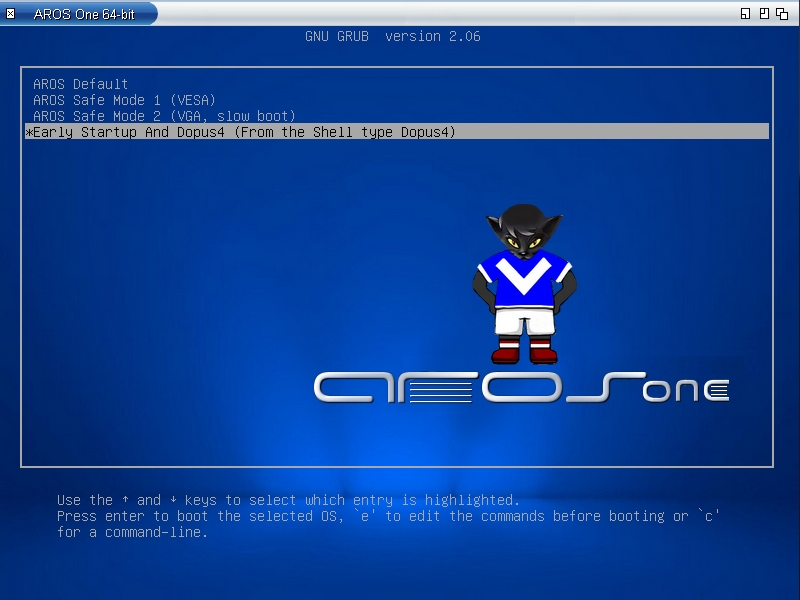
The Grub on AROS One will now look more like AROS, a faux AROS-style bar has been added to the window!
ami-elvisami-elvisNewbie
Posted 7 days ago
Is it possible to run this in VirtualBox? Im playing around with different settings but always ends up with black screen after GRUB. 386 is fine though.
maybe buy an old D630 instead and see how it works

Regards
N
ncafferkeyAROS Dev
Posted 7 days ago
[quote name=ami-elvis post=12622]@ami-elvis - Is it possible to run this in VirtualBox? Im playing around with different settings but always ends up with black screen after GRUB. 386 is fine though.
maybe buy an old D630 instead and see how it works[/quote]

It should be possible. Make sure nested paging is enabled in your VM.
Edited by ncafferkey on 27-06-2026 19:41, 6 days ago
ami-elvisami-elvisNewbie
Posted 7 days ago
Its was me, didn't notice that OS "Other" automatically sets it to 32bit. Changing to "Other Linux 64" did the trick. Onwards to some coding.
ami-elvisami-elvisNewbie
Posted 6 days ago
I had no luck getting the network running with 64-bit in Virtualbox although it might be me not remembering Virtualbox at all. I tried bridged at first and added ip and route myself but it ended up with "Message too long" for my pings. So I switched to NAT but ended up doing the same with adding manually and got stuck with the same long messages yet again. The stack is starting as it should but there's no ip adress for me.

Anyway, think I'll go hunting the second hand sites for proper hardware instead.
AMIGASYSTEMAMIGASYSTEMDistro Maintainer
Posted 6 days ago
No, you don't need to add any IP addresses. In Network Preferences, just add the “e100.device” and leave everything set to automatic. In the preferences, it should work with NAT, but it also works with other configurations,at least on VMware.
ami-elvisami-elvisNewbie
Posted 6 days ago
Thank you! I made everything complicated.. again. I'll put this in my book of things to remember
N
ncafferkeyAROS Dev
Posted 6 days ago

AMIGASYSTEM wrote:

@AMIGASYSTEM - No, you don't need to add any IP addresses. In Network Preferences, just add the “e100.device” and leave everything set to automatic. In the preferences, it should work with NAT, but it also works with other configurations,at least on VMware.


*e1000.device
AMIGASYSTEMAMIGASYSTEMDistro Maintainer
Posted 14 hours ago
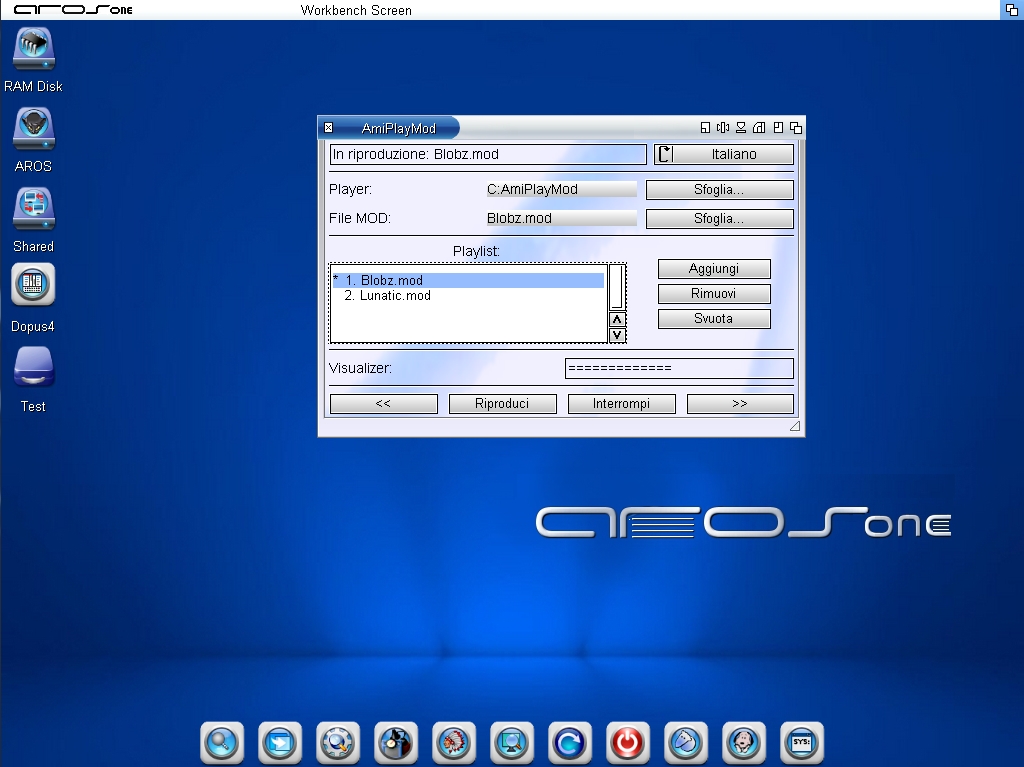
Grazie a I.A. ho creato una GUI di nome PlayMod-GUI per AmiPlayMOD un Player CLI, vedi screenshot.

La Gui è multilanguage comprende Inglese, Italiano, Francese, Spagnolo e Polacco, inoltre ha un PlayList e un simulatore di Visualizer.

Anche WildMidi pubblicato qualche giorno fa avrà la stessa GUI e le stesse funzioni.


www.arosworld.org/infusions/forum/attachments/amiplaymod-gui.jpg
AMIGASYSTEM attached the following image:
amiplaymod-gui.jpg
A
Amiwell79Distro Maintainer
Posted 14 hours ago
Grazie!
AMIGASYSTEMAMIGASYSTEMDistro Maintainer
Posted 5 hours ago
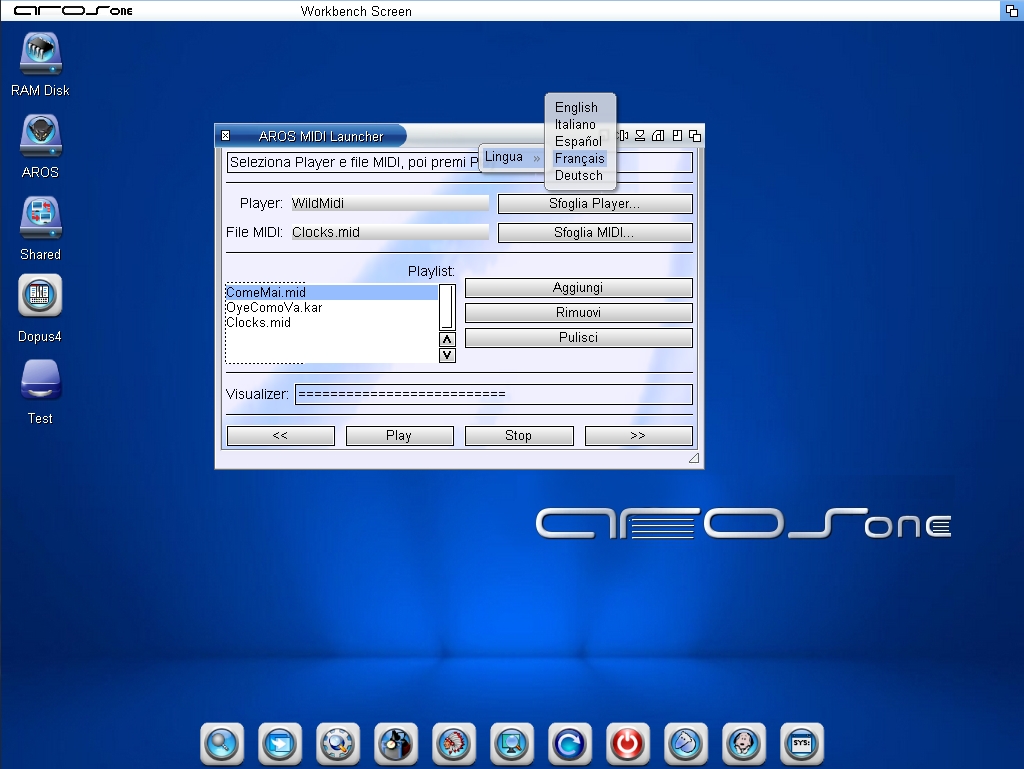
This is the new WilMidi GUI, with 6 languages that can be changed from the Zune internal menu, the pop-up menu prompt I used for PlayMod-GUI, a playlist, and a visualizer simulator! See screenshot

PlayMod-GUI will also get a redesign; the language menu has been updated and will be the same as WilMidi-GUI's


www.arosworld.org/infusions/forum/attachments/wildmidi-gui.jpg
M
miker1264Software Dev
Posted 4 hours ago
Very nice work!! I like the layout of the GUI.
You can view all discussion threads in this forum.
You cannot start a new discussion thread in this forum.
You cannot reply in this discussion thread.
You cannot start on a poll in this forum.
You cannot upload attachments in this forum.
You can download attachments in this forum.