AMIGASYSTEMDistro Maintainer
Posted
4 months agoWith EmuV0, we conducted a test with all Hollywood software to verify compatibility. Please confirm or deny the results.
Hollywood software that works well:
- Calendar&Clock = Works well
- Image Viewer = Works well
- Image2PDF = Works well
- JoinGUI = Works well
- RNOArchive = Works well
- SacrificioPagano = Works well
- ThemeEdit = Works well
Hollywood software FIXED
- AnimPlayer = Works well
- Anim Web Converter = Works well
- Crono = Works well
- FreePrince = Works well
- HollyPaint = Works well
- IconEditor = Works well
- Lil Calendar = Works well
- Look Here = Works well
- Soliton = Works well
- TextMio = Works well
- XPDF-GUI = Works well
Hollywood software where I encountered problems:
- RNOSoundboard = Every now and then, a guru comes along
- ArtBase = Guru appears as soon as it starts up
- ComicOn = Requires active network
- Comix = Crasch Exit
- Convierteme = Does not work
- Exutil = If you rename Thumbnail, the system crashes
- Font Test (Hollywood) = Open font crashes the system
- iConecta=Theme Preferences (with graphic background) Guru
- Loview = Guru if you choose ‘Thumbnail’, does not work in full screen, occasionally crashes after SlideShow and Guru when starting Loview
- ModExplorer = Requires active network
- PolarPaint = Occasionally, after working, an error appears when opening a request
- RNOInfoScreen SoudBoard = Error opening appropriate Display
- RNOSlide = Play Show images does not work
- RNOSoudBoard = Error opening appropriate Display
- RNOEffect = Some filters, in particular ‘luma key’; if you click on Pick /Palette, it freezes
- SilkRAW = Guru when starting
- Slarti = Does not work
- Slideshow = Does not work (add Window parameter, images load and then freeze)
- Sploiner-GUI = Split file does not work
- VidentiumPicta = Guru if you click on the toolbar icon ‘Screenshot (Camera icon)’
- ViewBox = Drag Picture does not work
- VintagePlayer = The GUI cannot be moved on Wanderer, it remains stuck, Right mouse button generates Guru
- Witch Cleaner = Tools do not work (Menu OWB)
- ZuPaPlayer = Crash System, Crash WMware
AMIGASYSTEMDistro Maintainer Posted
4 months agoOkay, I will add the FIX to each line on the first page!
I ran the tests with EmuV0-0.44 and EmuV0-0.46.
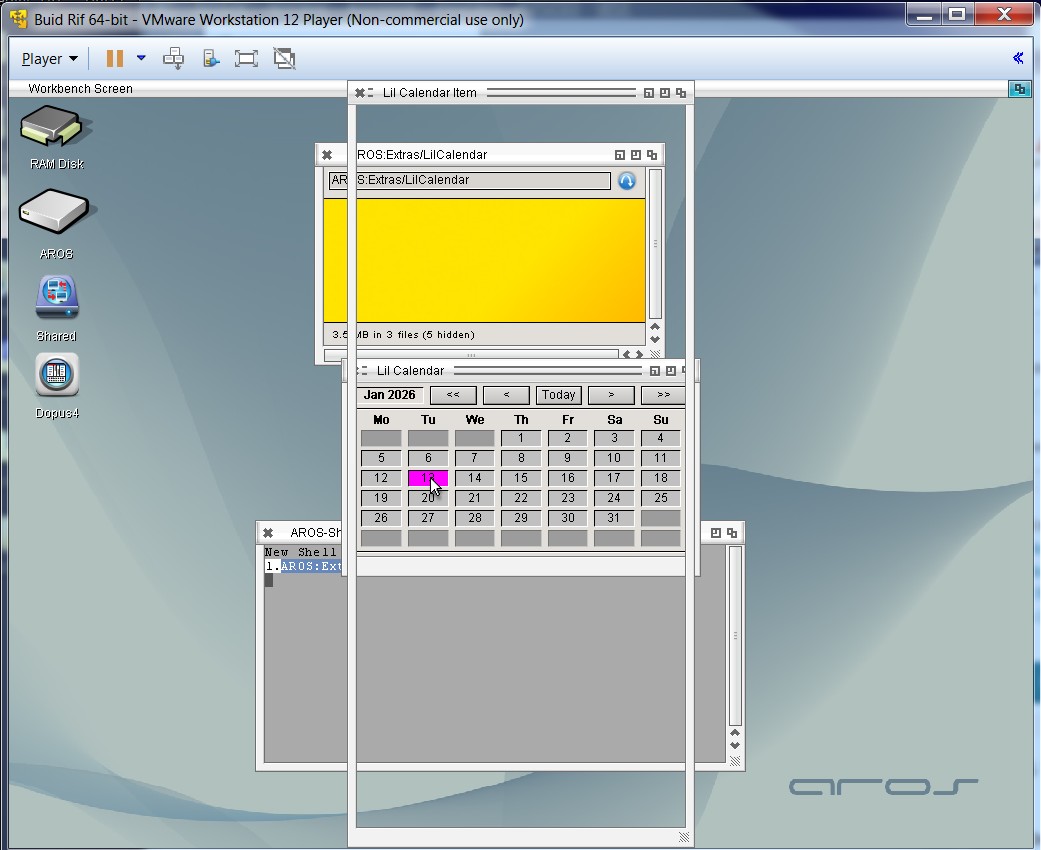
LilCalendar still has the issue if you click on a number box, tested with the reference build and EmuV0-0.46, see screenshot.
AMIGASYSTEM attached the following image:
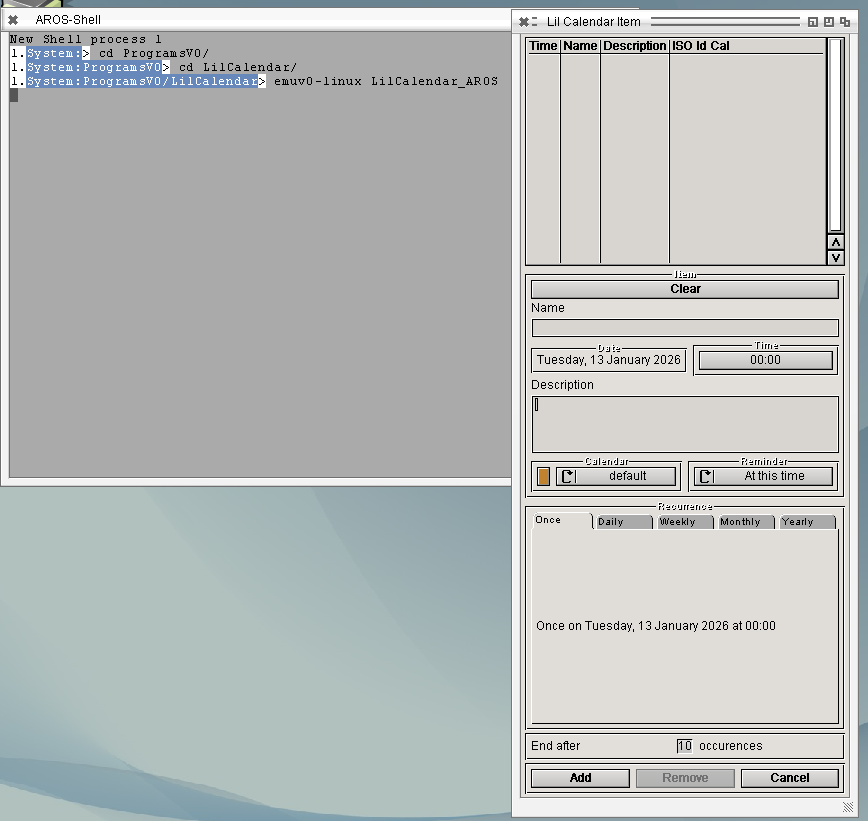
Weird, LilCalendar opens that window for me, see screenshot.
Are you using exactly the binaries I provided in SYS:Tools/EmuV0 or did you update any of them? Like TextEditor.mcc for example?
deadwood attached the following image:
AMIGASYSTEMDistro Maintainer Posted
4 months agoOkay, resolved. It seems that LilCalendar with Emuv0 does not support the new version of TextEditor.
On AROS 32-bit, however, LilCalendar works fine with the new TextEditor.
I'll add it to the TODO to see what's going on with newer version of TextEditor under EmuV0
AMIGASYSTEMDistro Maintainer Posted
3 months agoUpdated Hollywood Repair Applications List, first post!
Thanks! What about RNOSound board? The fullscreen should be working as of 0.65.
AMIGASYSTEMDistro Maintainer Posted
3 months agoRNOSound board works well if you use one of the 4 graphic modes to activate the large buttons. When you exit, the screen temporarily turns black, but this does not happen on Aros 32bit.
Anim Web Converter also works well, but it has the known issue with the request file for hidden buttons!
I didn't notice any issues with RNOSoundboard to be honest. Can you make a video to show what you mean?
AMIGASYSTEMDistro Maintainer Posted
3 months agoI am attaching two videos, one showing the aforementioned RNOSoundBoard issue, and the other showing how RNOInfoScreen should work (video created on AROS One 32Bit).
With RNOInfoScreen, the association with the Music Player does not work (if supported, it works fine with MPLayer), and you also have the same black graphic artefact issue.
AMIGASYSTEM attached the following file:
RNOInfoScreen will not work with current versions of emulator, maybe at some point in future when ARexx messages are supported.
For RNOSoundBoard, that's weird. It doesn't happen for me like that, though I'm testing on hosted. Once full screen is closed, the Workbench screen is correctly rendered. How do you exit RNOSoundBoard full-screen? With Esc key? If you use a native application, like MPlayer and play video in full screen - does the Workbench screen render correctly after exiting full screen in MPlayer?
AMIGASYSTEMDistro Maintainer Posted
3 months agoOkay, I've found the problem. On AROS 64, i use the native VMware video card, and with VESA, the problem doesn't exist!
Do you still have a freeze in RNOEffects when using LumaKey + Pick? I can't trigger this under v0.68 anymore.
AMIGASYSTEMDistro Maintainer Posted
3 months agoIf v6.8 has not been fixed, the block with LumaKey + Pick and CromaKey + Pick is still present.
Regarding Anim Web Converter, the old problem with requests has now been resolved, but you get a Crash if you do Save/Frames or Save/Quality/Compression.
To perform a n save registration key is required.(key find on Aros one 32bit)
Could you re-check RNOSlide? Show->Play for images works now for me (0.70) and shows images fullscreen.
AMIGASYSTEMDistro Maintainer Posted
3 months agoI confirm that RNOSlide Show->Play works well on VESA.
With native screnn VMWare, I always have the black background problem!
That black-background problem is most likely driver related. Once I switch to general drivers work, I'll look into it.
AMIGASYSTEMDistro Maintainer Posted
3 months agoOK, thank you. Regarding the problem caused by Zune GUI backgrounds, can it be resolved?
Not in the 1.0 release of EmuV0.