Oh no! Where's the JavaScript?
Your Web browser does not have JavaScript enabled or does not support JavaScript. Please enable JavaScript on your Web browser to properly view this Web site, or upgrade to a Web browser that does support JavaScript.

Wireless USB Adapter with Aros nightly build

Last updated on 11 days ago
tommywtommywJunior Member
Posted 17 days ago
When I enter the command mentioned above, I get no output in the wifi.log file and no prompt in the shell. My Fritzbox interface also doesn't list the Aros laptop.
tommyw attached the following image:
img_0807.jpeg
tommywtommywJunior Member
Posted 17 days ago
I'm wondering what the difference is between it running in VirtualBox and not on real hardware. It's a system built on top of Windows. So, you could boot from a USB stick over a Windows installation, and it should work, just like it did with the old Dell Optiplex, 2016 using a Vodafone EasyBox.
tommywtommywJunior Member
Posted 17 days ago
The fact is: AROSTCP is running and wirelessmanager lists everything. However, the Fritzbox doesn't recognize my laptop and therefore it doesn't appear in the home network... netgear wg111v3 works with other linux systems.
Edited by tommyw on 31-12-2025 09:02, 17 days ago
AMIGASYSTEMAMIGASYSTEMDistro Maintainer
Posted 17 days ago
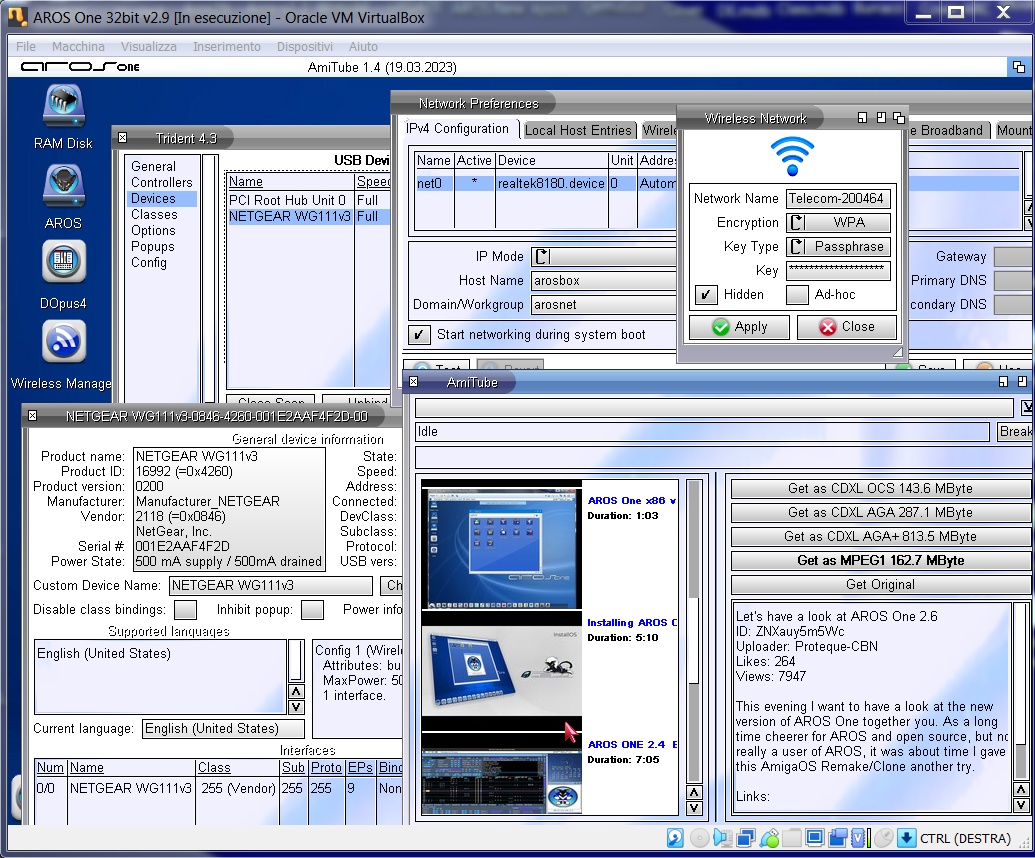
If it's not a problem with your router, you should run some checks because it works very well on my laptop with AROS One 32Bit Netgear WG111v3. Compare your configuration with the ones shown in my screenshot!

Have you tried connecting to WiFi with your mobile phone's router?
AMIGASYSTEM attached the following image:
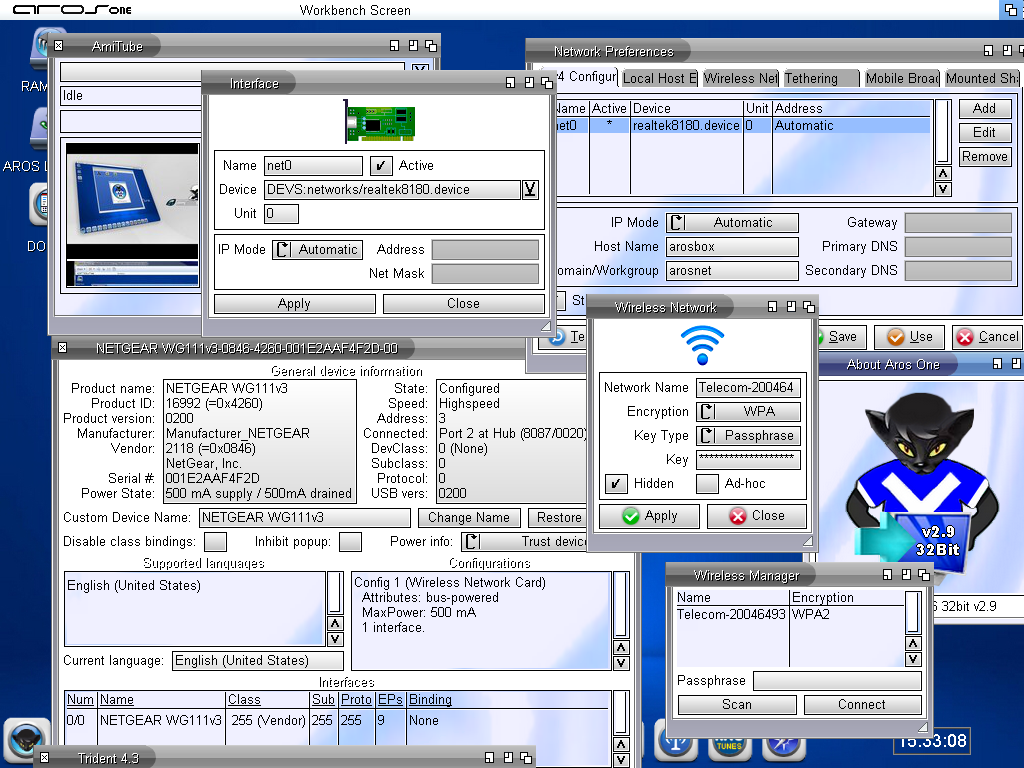
netgear_wg111v3.png
tommywtommywJunior Member
Posted 17 days ago
I have exactly the Same configuration as you.
I have tried it with a hot Spot on my IPhone and that was also listed in the Wireless Manager, but no connection however. I don‘t know if i made it right. Perhaps you can give ne a little workaround later. Thank you
N
ncafferkeyAROS Dev
Posted 17 days ago
The log file may not be readable until after WirelessManager is quit. Regarding the difference with VirtualBox, I'm not completely sure what you mean, but the reason networking works there is that it uses a different driver. In theory, you could give your VM direct access to the wireless dongle and try the realtek8180 driver there, but I haven't tried it recently.
tommywtommywJunior Member
Posted 16 days ago
I installed the Netgear WG 111v3 in Windows and configured it in VirtualBox. Under Aros One and the Realtek 8180.device driver, the internet still doesn't work. The Netgear WG111v3 works perfectly fine with Windows.
Edited by tommyw on 01-01-2026 17:58, 16 days ago
N
ncafferkeyAROS Dev
Posted 15 days ago
I see. The thing that would help most in solving the problem would be to see the wifi.log file that we discussed previously, if you can produce one on a real machine.
AMIGASYSTEMAMIGASYSTEMDistro Maintainer
Posted 15 days ago

tommyw wrote:

@tommyw - I installed the Netgear WG 111v3 in Windows and configured it in VirtualBox. Under Aros One and the Realtek 8180.device driver, the internet still doesn't work. The Netgear WG111v3 works perfectly fine with Windows.


tommyw, you need to check the configuration carefully. I tested WG 111v3 with Realtek 8180.device, and it works well with both VirtualBox and VMware, as shown in the screenshot.

These are the recommended procedures to follow:

- Install Netgear WG 111v3 on Windows
- To avoid strange conflicts, I recommend disabling other Wi-Fi cards installed on Windows
- On AROS One, update Realtek 8180.device and WirelessManager with the new versions repaired by ncafferkey
- In VirtualBox, enable ‘Netgear WG111v3’ from the USB options
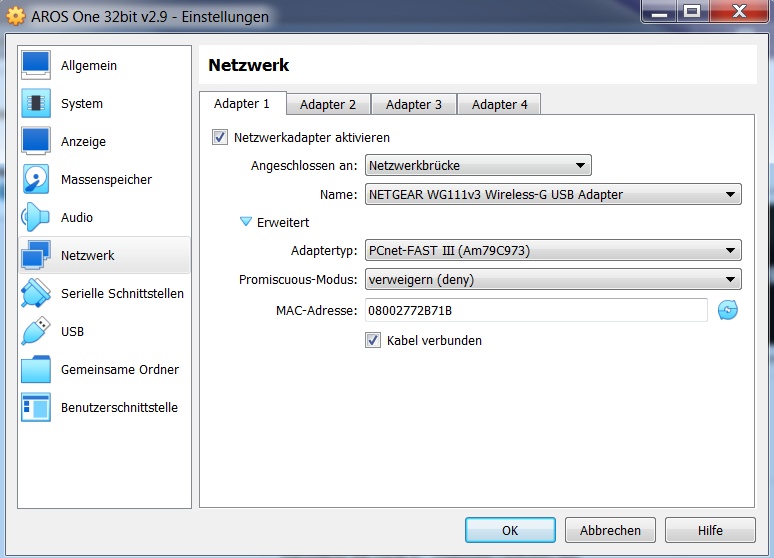
- In VirtualBox, from the Network options:
Attach To: Bridged Adapter
Name: Netgear WG111v3 Wireless-G USB Adapter

If this does not work, uninstall and reinstall VirtualBox
Argo, tommyw, ncafferkey
AMIGASYSTEM attached the following image:
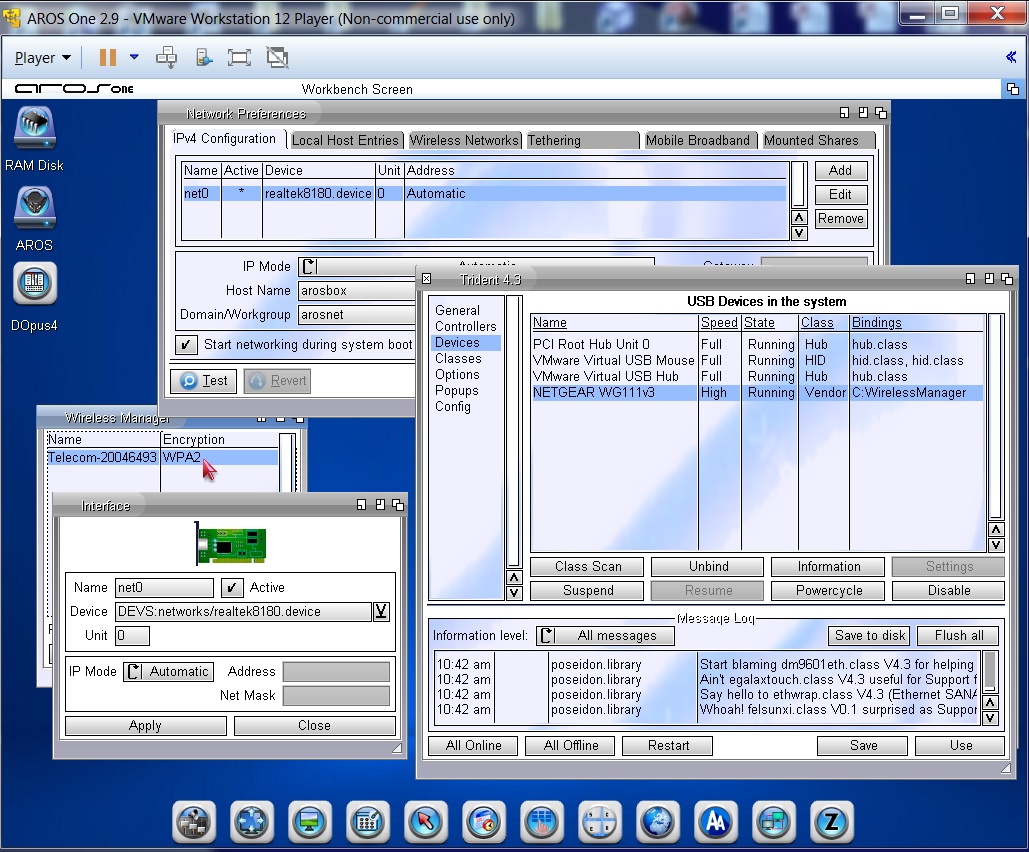
vmware_2.jpg wirtualbox.jpg
tommywtommywJunior Member
Posted 15 days ago
Hi, ncafferkey.
Here's the wifi.log
Edited by tommyw on 02-01-2026 15:13, 15 days ago
tommyw attached the following file:
wifilog.zip [1.83kB / 30 Downloads]
N
ncafferkeyAROS Dev
Posted 15 days ago
Thanks @tommyw. I see it doesn't find the network this time, so I wonder could there be a slight difference in capitalisation or punctuation marks between the network name in AROS and what's set on the router? In your previous screenshots, it did find the guest network, but failed to fully connect.

Are both networks hidden? If not, I would turn off the hidden option in AROS prefs ("hidden" translates to scan_ssid=1 in the raw prefs file BTW). Or maybe post another log for trying to connect to the guest network, as that got closer to success last time.
tommywtommywJunior Member
Posted 14 days ago
@AMIGASYSTEM I did everything just like you described, but it just doesn't work. I have disabled all other network cards in Windows, in Aros One in Trident it shows something different than on your system, see bindings=bsdsocket.library. Which adapter type do I need to select in the VirtualBox settings?
tommyw attached the following image:
bild1.png bild2.png bild3.png
tommywtommywJunior Member
Posted 14 days ago
As soon as I start the Aros One in VirtualBox, the Windows network collapses.
N
ncafferkeyAROS Dev
Posted 14 days ago
@tommyw I notice in your Windows configuration that your SSID is capitalised differently to how it is in AROS prefs. Note that SSIDs are case sensitive. If the SSID starts with "FRITZ" in capitals, you must write that part in capitals in AROS too.

I would suggest forgetting about VirtualBox for the moment, and just try again natively on your D610, making sure that capitalisation is correct.
AMIGASYSTEMAMIGASYSTEMDistro Maintainer
Posted 14 days ago

tommyw wrote:

@tommyw - As soon as I start the Aros One in VirtualBox, the Windows network collapses.


Tommy, my network configuration is different. I used PC-Net FAST III as the ‘Adapter Type’ (see screenshot, in German).

On Windows, it is normal for the network to crash. USB devices used by virtual machines are automatically disabled by Windows. This also happens with USB flash drives and other USB peripherals.

After Wanderer has started, wait a few seconds for the network to become active!
AMIGASYSTEM attached the following image:
virtualbox-network.jpg
tommywtommywJunior Member
Posted 12 days ago
Yess, i cannot believe it Smile it works with the new wireless manager and the new Realtek 8180.device 64bit driver in VirtualBox with Aros One 64bit. I am the lucky one Smile) thank you very much. ....

And now I will go for it on real Hardware.

@ncafferkey it was the thing with FRITZ! and Fritz! you now and i had to connect to FRITZ!Box Gastzugang. Crazy thing Wink
Edited by tommyw on 05-01-2026 14:07, 12 days ago
tommywtommywJunior Member
Posted 12 days ago
Update: also works with i386 build ABI_V0 2025 and the 32bit version of the Realtek8180.device + new wireless Manager.
Great! Thank you all.
N
ncafferkeyAROS Dev
Posted 11 days ago
Great that you got it working Smile
tommywtommywJunior Member
Posted 11 days ago
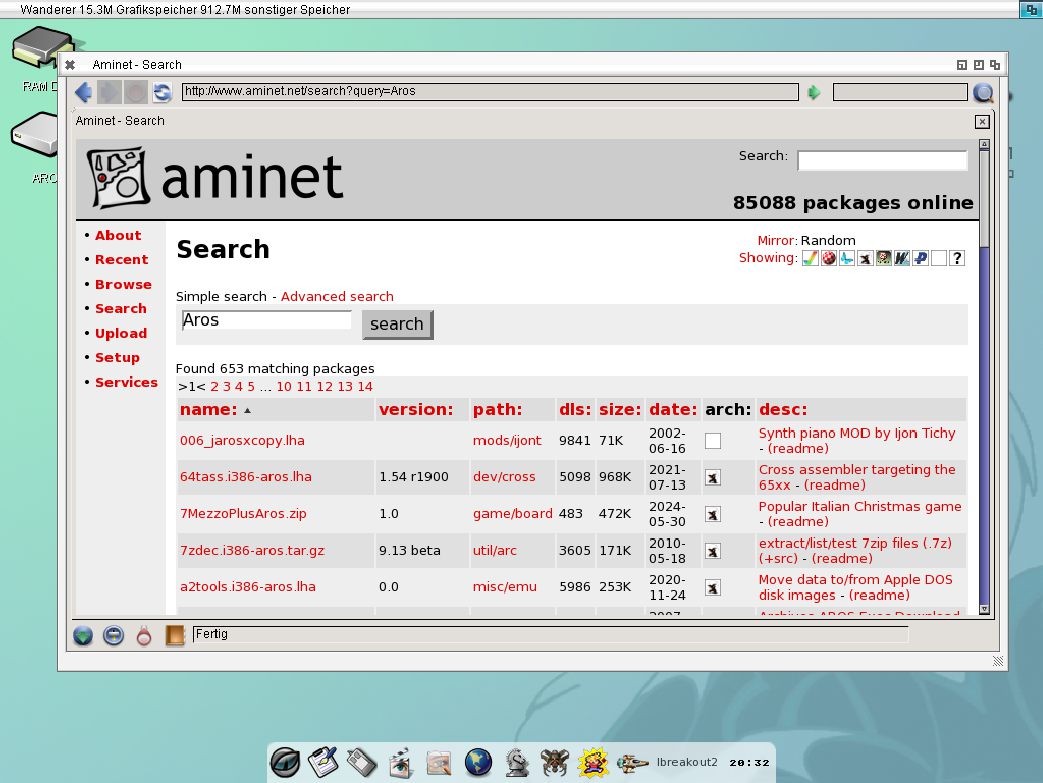
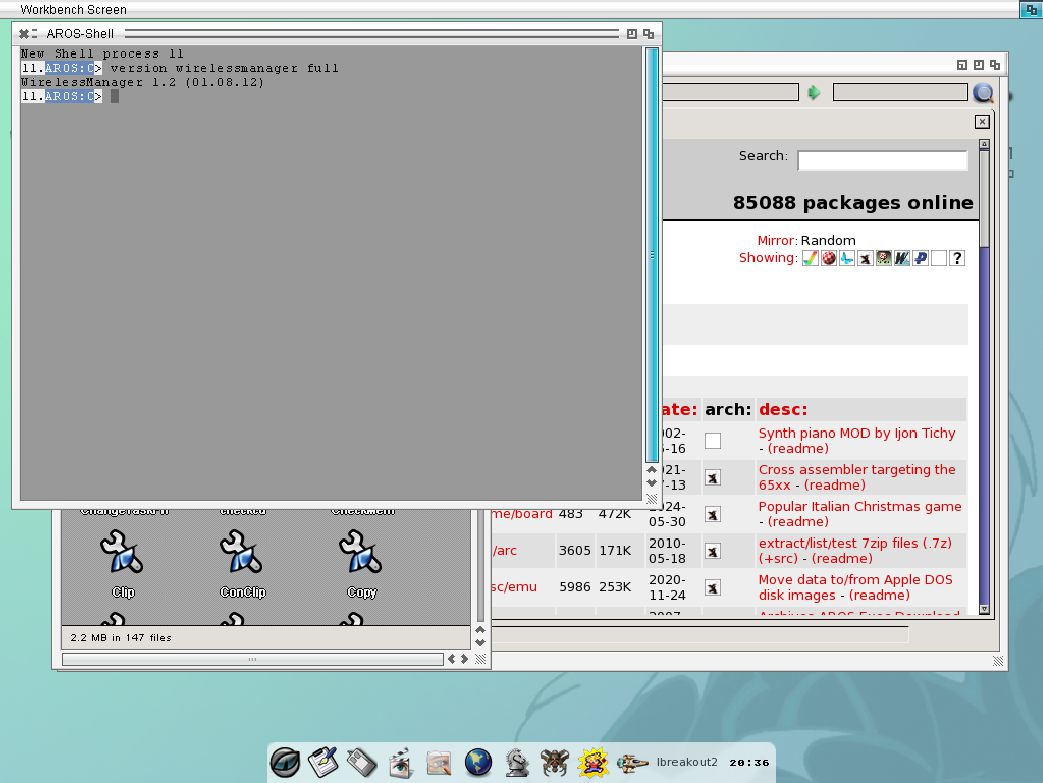
Yess, yes yes on real Hardware Dell Latitude D610 ... I'm in with the new Realtek8180 device from 2025 and the old Wireless Manager 1.4 (only that one worked correctly on the AROS version from 2013). All honor to the very old OWBrowser from 2010 here in Aminet. Nothing more works... finally done. I'm very happy.
Edited by tommyw on 09-01-2026 09:36, 8 days ago
tommyw attached the following image:
shot3.jpg shot4.jpg shot5_1.jpg shot6.jpg
You can view all discussion threads in this forum.
You cannot start a new discussion thread in this forum.
You cannot reply in this discussion thread.
You cannot start on a poll in this forum.
You cannot upload attachments in this forum.
You can download attachments in this forum.
Users who participated in discussion: deadwood, AMIGASYSTEM, ncafferkey, tommyw