Has anybody PiAROS 0.5 successful installed on a Raspberry Pi500? I read on a forum that someone on their Raspberry Pi500 couldn't get to Wanderer (black or grey screen).
As for my Pi400 losing the mouse pointer I have a theory about that.
Maybe it's not a HID driver issue but rather the Pi USB hubs are under powered. The ports don't receive enough power from the flimsy little USB C power adapter so USB devices don't always work correctly.
To test it I have a powered hub. I'll try anything at this point.
I downloaded the new 0.5 version and I copied it to an extra micro SD.
Yes! The mouse pointer works!
It looks a bit different, but in a good way. The icon dock & icon bar are different & it has some craft tools. But all the icons for the icon dock & icon bar are missing! Oops! :-)
Now to test the old micro SD image.
My missing mouse pointer issue has been resolved for pi_aros 11-05-26. My old mouse pointer was red. The new one is white so I know it changed because of pointer.prefs.
I used my laptop to copy new files to the micro SD. I copied Poseidon.library, Trident, pointer.prefs and I deleted the old Poseidon.prefs file. Then insert the micro SD & restart pi_aros. That fixed the issue. I copied the files from my Build System to micro SD.
Probably if I deleted Poseidon.prefs & copied pointer.prefs it would work.
Although the mouse pointer now works, I've had no luck with sound.
Edited by miker1264 on 25-11-2026 21:17,
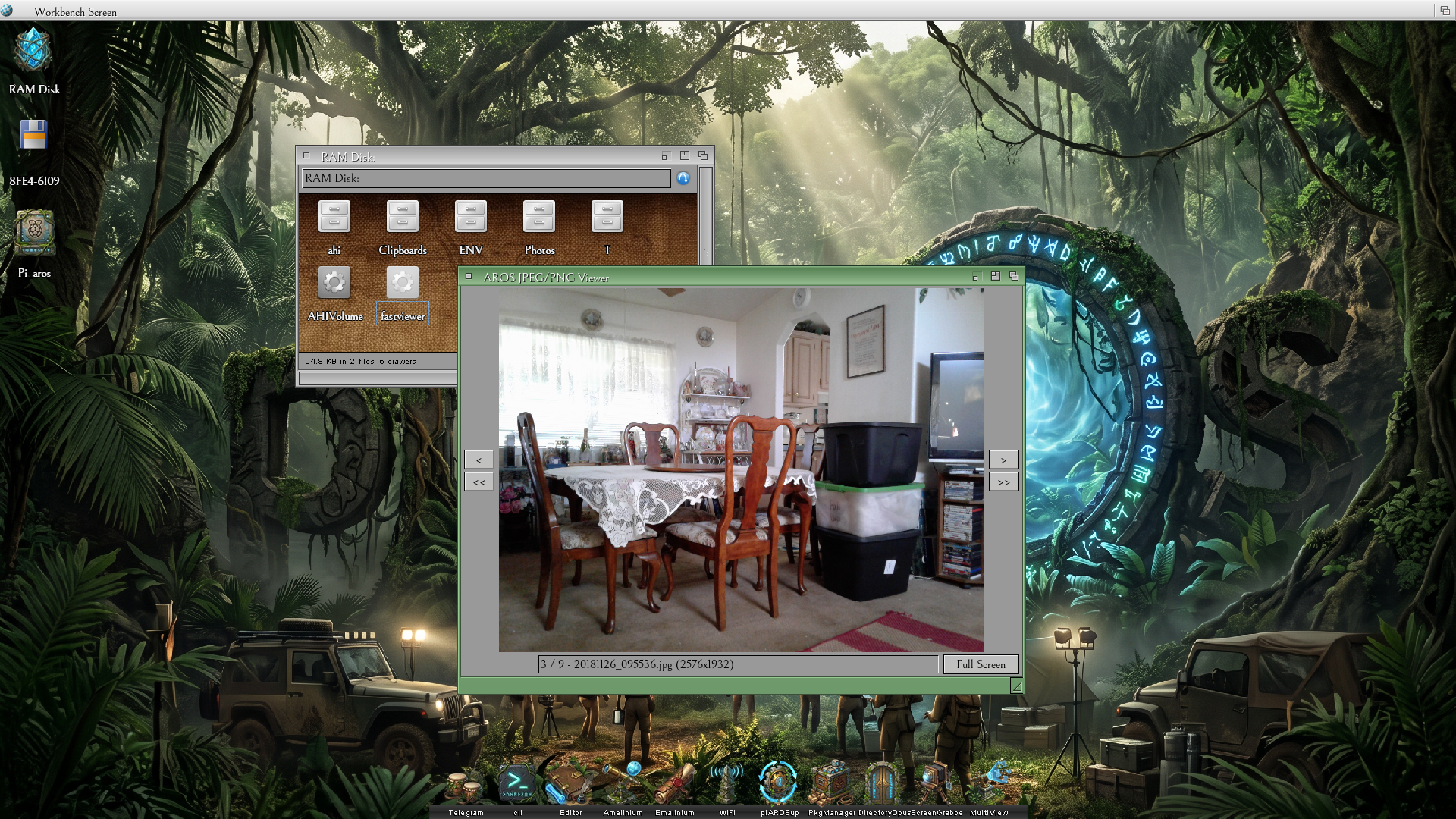
1 day agoThe Fast Image Viewer is working great on Pi400 to view jpeg images.
It's very fast. It's the same speed loading & displaying images as the Windows Picture Viewer, not that that is the standard.
I'd like to make a few improvements. I want to add a Rotate button on bottom left to even things out. I'd also like add horizontal spacers and center the status text under an image so it seems much cleaner.
Edited by miker1264 on 26-11-2026 17:29,
12 hours ago
miker1264 attached the following image:
Yessss! We have HDMI audio playing an mp3 music file on Pi_Aros using the PlayMp3-GUI by AMIGASYSTEM and the miniMp3 cli app that I built.
I wasn't sure the miniMp3 decoder would work. I put it all together including a mmakefile.src in about 10 minutes. I expected it to fail.
I'll try to update the miniMp3_aros.c wrapper file because there is some slight crackling in the HDMI sound.
The AHI Volume control by Farox isn't yet operational. It gives me a guru error. I think I'll need to update AHI with the new code and compile the new version for Raspberry Pi.
More information and screenshots later today or tomorrow.
I'm going to listen to some mp3's.
Edited by miker1264 on 26-11-2026 20:43,
9 hours ago ArgoMember
Posted
2 hours agoI've been trying out 0.5 the last couple of days on a Pi Zero 2 W, 3B+, and 4 I feel the Zero was a bit underpowered The 720p screen made the desktop rather cramped
I did have an issue on the 3B+ where, when downloading from the browser, I clicked on Limpet and the system froze I didn't try this on the other Pi as I was having an issue across all three where the keyboard would stop working after a time Though unplugging and plugging back in got it working
I'll try my Pi 5 this weekend and use a different keyboard on all of them to see if it's the keyboard I was initially using
Edited by Argo on 27-11-2026 03:25,
2 hours ago