Oh no! Where's the JavaScript?
Your Web browser does not have JavaScript enabled or does not support JavaScript. Please enable JavaScript on your Web browser to properly view this Web site, or upgrade to a Web browser that does support JavaScript.

AROS One ABIv11 64Bit Work In Progress

Last updated on 2 hours ago
AMIGASYSTEMAMIGASYSTEMDistro Maintainer
Posted 2 months ago
No, leave the default 8 GB, it's dynamic; the size isn't fixed. VMware adjusts the size based on the data stored.
M
miker1264Software Dev
Posted 2 months ago
That was a very fast installation!

I'm very satisfied with how responsive AROS One 64bit is.

Now I can compile & test my MUI applications on 64bit.

Targa Datatype 64bit is working.
AMIGASYSTEMAMIGASYSTEMDistro Maintainer
Posted 2 months ago
The new Stable Build 2026.09 was released today, so we can now begin building the new AROS One 1.4.

There will be many new features; in addition to the Core update, there will be a lot of software, including some I’ve developed myself.

Given the many new games and ports, to avoid creating an AROS One distribution that is too large and slow to install, I have decided to remove the games from AROS One and release them separately as AROS One Games v1.4, which in the future could become a standalone, self-booting distribution with a basic mini OS..
deadwood, miker1264, Farox, ami-elvis, Argo, sonountaleban
AMIGASYSTEMAMIGASYSTEMDistro Maintainer
Posted 2 months ago
Important !!!!!

Do not update AROS One 64-Bit v11 with the new Build 2026.09, otherwise AROS One will not boot.

Essentially, parts of GRUB have been changed and updated. If you really want to update it with this build, do not copy the Boot/Grub folder; doing so will allow it to boot, but there is a risk of ending up with duplicate system files.

My advice for updating AROS One to 2026.09 is:

- Wait for the new version of AROS One 64-bit based on this new Build 2026.09; this will be available in a few weeks or sooner, depending on when I finish testing some of my new software that’s currently in development.

- Alternatively, there is Build 20250418-1-U4, an update package that upgrades AROS One 64-bit version 20250418-1 to version 2026.09. This package does not include the GRUB update.

https://axrt.org/...aros-64bit
X
x-visionJunior Member
Posted 4 days ago

AMIGASYSTEM wrote:

@AMIGASYSTEM - Important !!!!!

Do not update AROS One 64-Bit v11 with the new Build 2026.09, otherwise AROS One will not boot.

Essentially, parts of GRUB have been changed and updated. If you really want to update it with this build, do not copy the Boot/Grub folder; doing so will allow it to boot, but there is a risk of ending up with duplicate system files.

My advice for updating AROS One to 2026.09 is:

- Wait for the new version of AROS One 64-bit based on this new Build 2026.09; this will be available in a few weeks or sooner, depending on when I finish testing some of my new software that’s currently in development.

- Alternatively, there is Build 20250418-1-U4, an update package that upgrades AROS One 64-bit version 20250418-1 to version 2026.09. This package does not include the GRUB update.

https://axrt.org/...aros-64bit


When do you think you are going to release version 1.4?
AMIGASYSTEMAMIGASYSTEMDistro Maintainer
Posted 4 days ago
Stay tuned there's a lot of new stuff coming. I'm running numerous tests to minimize any imperfections as much as possible.
AMIGASYSTEMAMIGASYSTEMDistro Maintainer
Posted 4 days ago
A short video showing some of the new features


BoingIconBar2 new features:
- Drag, Delete, or Add Folders or Files
- Menu can change the transparency color.
- Can adjust the icon’s jump distance
- Prefs dialog has been improved, many other features have been added
- Localized into the most common languages
- Weather Plage,complete with a Weather Stations panel

ArosMenu2 new features:
- Now hides automatically when not in use.
- Menu can change the transparency color
- Buttons to add or remove programs from the taskbar
- Predefined system folders, with the option to add more
- System Preferences and ArosMenu

Wanderer New Features:
- Extension filter: simply type the name; no suffixes required
- Detail mode displays default icons, so Tooltypes also work accordingly
- Create shortcuts by dragging icons onto Wanderer
- Create shortcuts by dragging icons into Detail mode on Wanderer
- Volume and Transparency button menu with customizable colors
- Detail Mode: Resizable columns
- Added “Open With” menu
- Added “New Text File” menu
- Tooltypes: Replace icons by dragging images
- Tooltypes: Added CLI option
- Tooltypes: Added STARTPRI option
- Tooltypes: Added DONOTPROMPT option
- Wanderer: Localized into the most common languages
- Wanderer now acts as a sort of File Manager that can handle icons and files
AMIGASYSTEMAMIGASYSTEMDistro Maintainer
Posted 2 days ago
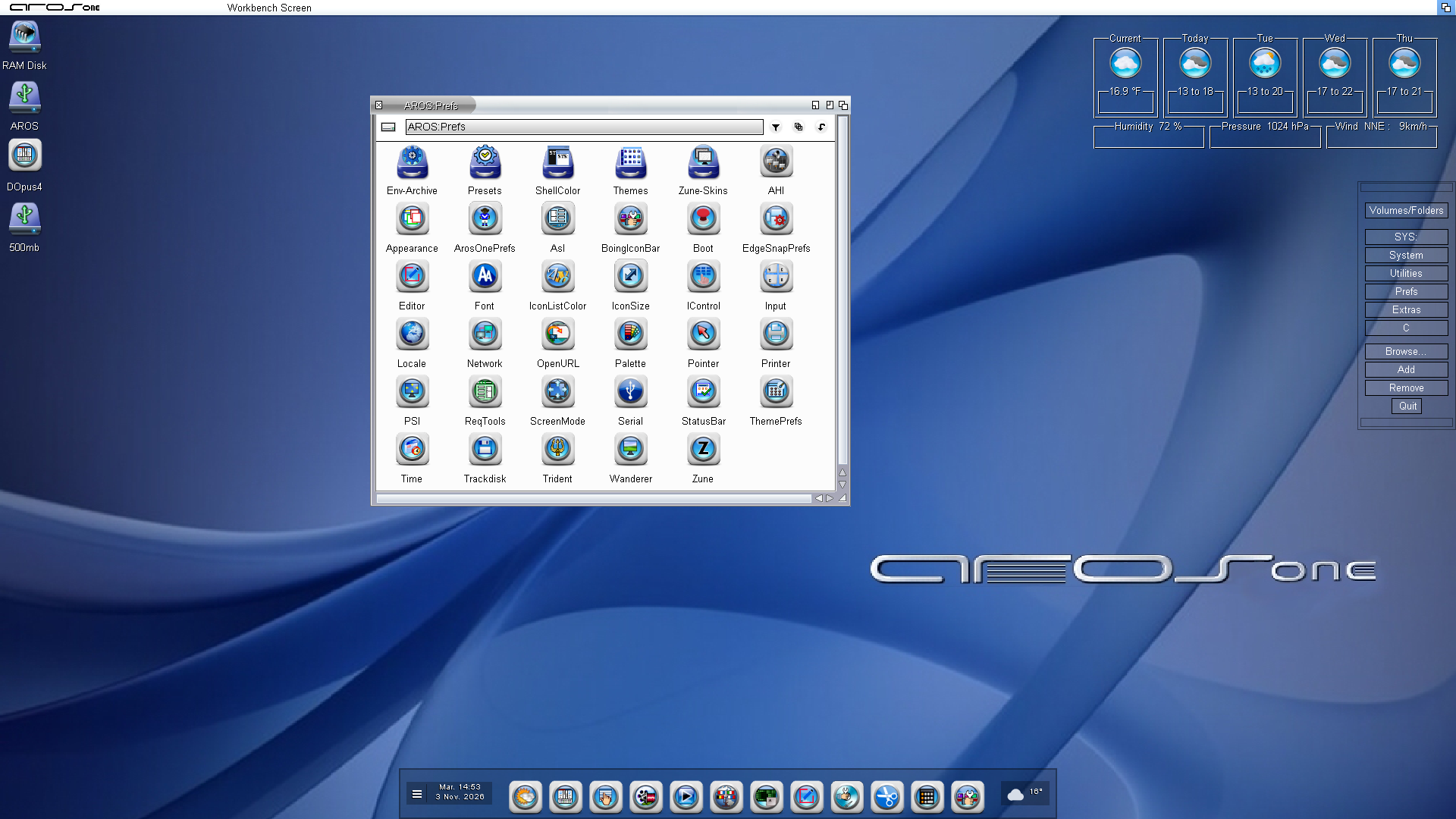
New features for AROS One: the old WeatherBar app has been updated and is now transparent, with the option to change the background color. The GUI can now be positioned either horizontally or vertically.
The menu includes an option to restore the original GUI, which allows you to move and save its position. Finally, the GUI can be hidden.

www.arosworld.org/infusions/forum/attachments/aros_one14.png
AMIGASYSTEMAMIGASYSTEMDistro Maintainer
Posted 19 hours ago
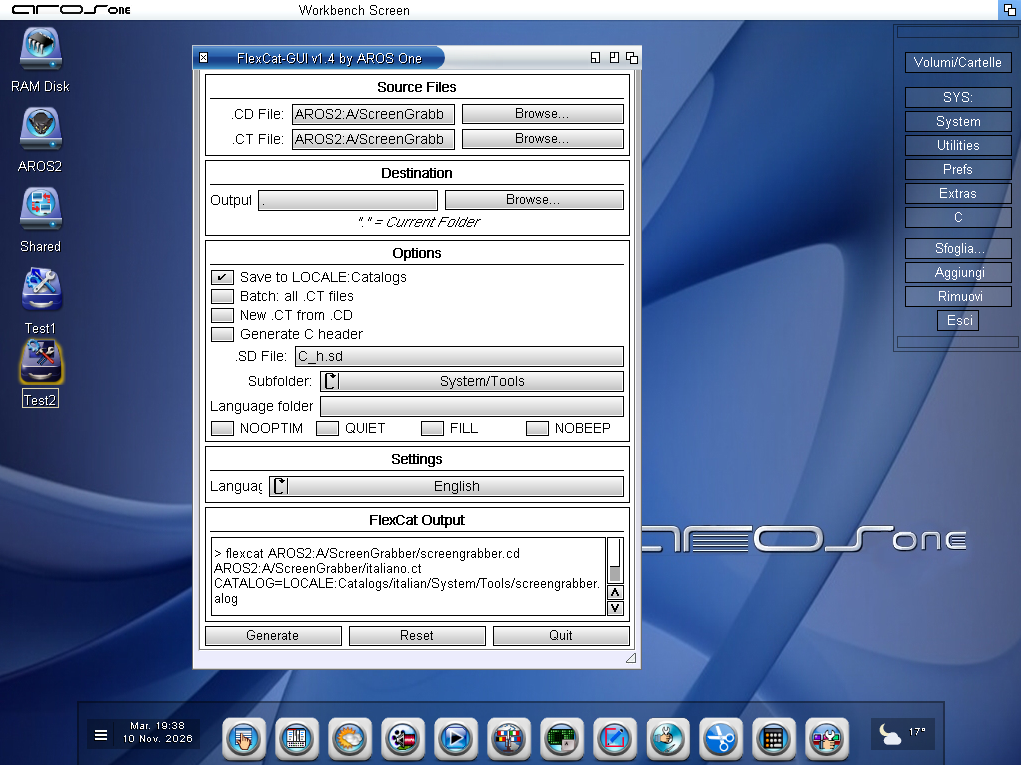
www.arosworld.org/infusions/forum/attachments/flexcat.png


FlexCat-GUI what’s new in this version 1.4:
Save to LOCALE:Catalogs/<language>: the language is read from the ## language line in the .ct file. If this is missing, the name of the .ct file is used (for example, italiano.ct gives ‘italiano’). Folders are created if they do not exist.

Batch: compiles all .ct files in the folder containing the selected .CT file. Each catalogue goes into a subfolder named after the language, within the output folder (or within LOCALE:Catalogs if the option above is enabled). At the end, a summary appears showing the generated catalogues and any errors.

C Header: generates <name>_strings.h using the specified .SD file (by default C_h.sd). In batch mode, it creates this only once.
New .ct from .cd (NEWCTFILE): with an empty .CT file, it creates <name>.ct. With a .CT file already specified, it creates <name>_new.ct, so as not to overwrite your original file. Switches: NOOPTIM, QUIET, FILL, NOBEEP.

Drag & drop: you can drag .cd, .ct or .sd files, or a folder (which becomes the output), onto the window.

Log window: displays the command executed, the flexcat output and the return code (RC), via T:FlexCatGUI.log. This should be very helpful in understanding errors in the .ct files.

Persistence: options and .SD files are saved in the configuration file.
‘Save to LOCALE:Catalogs/<language>’ Options pane: Subfolder: a menu with ---, System/C, System/Classes, System/Devs, System/Libs, System/Prefs, System/System, System/Tools and System/Utilities. With , the behaviour is as before, suitable for third-party apps
AMIGASYSTEM attached the following image:
flexcat.png
S
sonountalebanMember
Posted 15 hours ago
In the coming stable build 2026.09/AROS One 1.4 will there be updates for ahi.device/audio section?
AMIGASYSTEMAMIGASYSTEMDistro Maintainer
Posted 14 hours ago
Yes, there will be the new ahi.device file that Farox provided me with, and the midi.datatypes file that I compiled myself.
S
sonountalebanMember
Posted 13 hours ago
Basically, I've ported Homeworld (first version) and everything is fine except occasionally it freezes completely my PC and a couple of times I saw the typical dialog that indicates a fatal error in ahi.device...
AMIGASYSTEMAMIGASYSTEMDistro Maintainer
Posted 7 hours ago
If you’d like to try out the updated version of Farox’s AHI, you’ll find it attached here:

https://www.arosw...post_14831
S
sonountalebanMember
Posted 2 hours ago
I'll try it as soon as possible, cheers.
You can view all discussion threads in this forum.
You cannot start a new discussion thread in this forum.
You cannot reply in this discussion thread.
You cannot start on a poll in this forum.
You cannot upload attachments in this forum.
You can download attachments in this forum.