AMIGASYSTEM
Thank you! Great job. :-)
If the icon library version with icon resizing that I compiled is good I will work on submitting it by PR for review. I love that button menu.
Icon Resizing has been a goal for some time. I'm glad you achieved it.
I must admit that your programming skills have advanced greatly in the last few months. Creativity is part of that and AROS One has achieved it.
Edited by miker1264 on 01-11-2026 10:09,
5 days ago AMIGASYSTEMDistro Maintainer
Posted
5 days agomiker, thank you. I'm not a developer, just an old AMiGA geek.
Thanks to the experience I've gained over more than 30 years with the Amiga, I'm able to guide Claude,
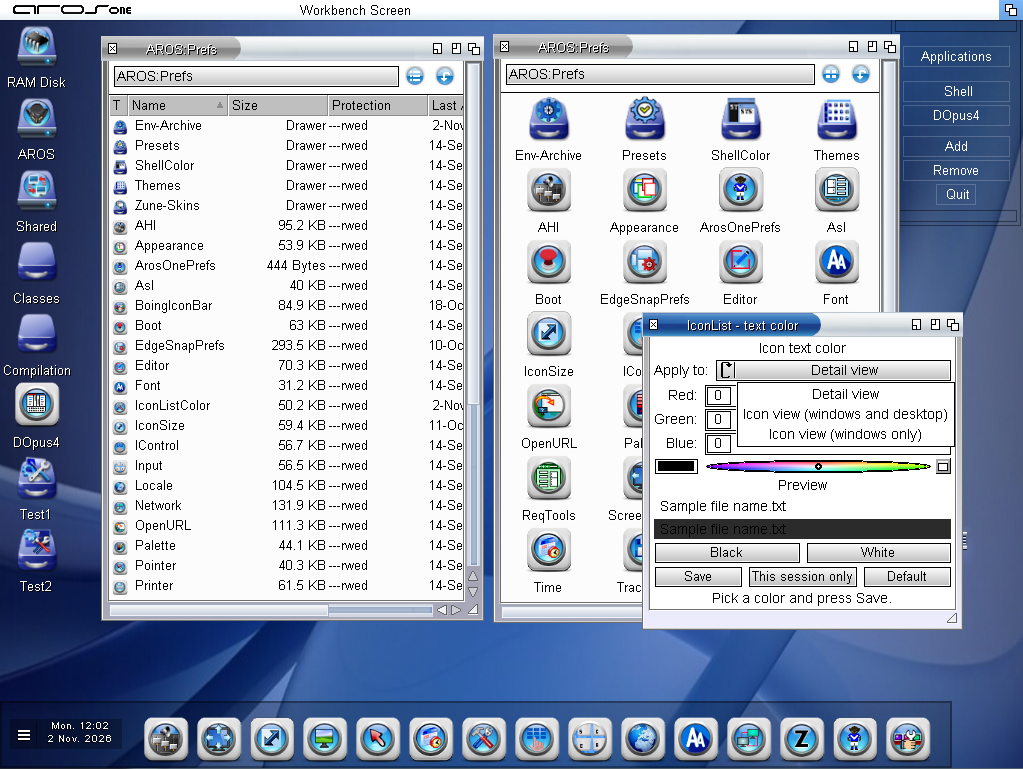
New updates for the Detail view; a fourth gadget has been added:
- ViewIcon
- ViewDetail
- ViewAll
- ViewDetailAll
- In Detail view, the file and directory names have been spaced apart from the icons; previously, they were almost touching
- Color preferences program to use when windows have light colors
The next update will include the localization of these new features
Edited by AMIGASYSTEM on 02-11-2026 04:05,
4 days ago You do not have access to view attachments
AMIGASYSTEMDistro Maintainer Posted
4 days agoNow the font colors are independent; now you can have light-colored window backgrounds and dark backgrounds for the workbenches, with a white window in Windows-style detail. I like it what about you?
Edited by AMIGASYSTEM on 02-11-2026 05:20,
4 days ago You do not have access to view attachments
AMIGASYSTEMDistro Maintainer Posted
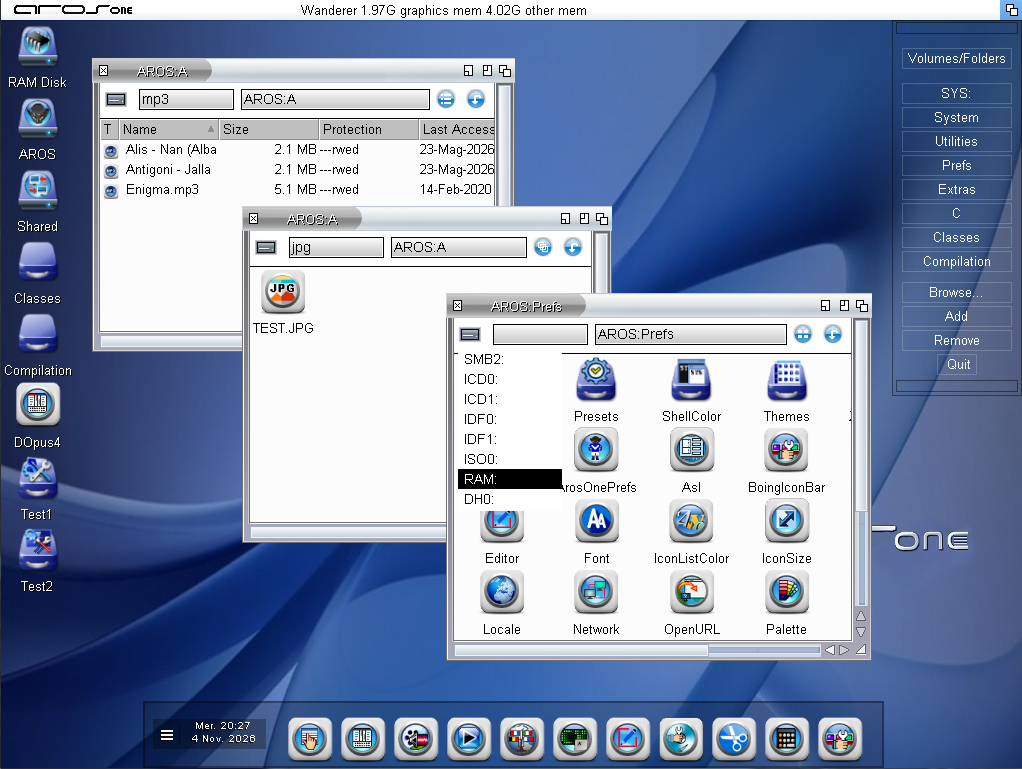
2 days agoNow there's a widget on the left-hand sidebar that lets you access all available volumes. Next to the widget is a small tab for filters—just type in the file extension, and only files of that type will be filtered. This works in both detailed view and icon view, even without setting “Show all files.”
Right now, I'm trying to make the menu for the displayed volumes transparent; I didn't like the white background.
You do not have access to view attachments
 pixieMember
Posted
1 day agoSome interesting stuff ! It's shaping quite nicely!
Here's an idea. How about an "Open With..." Menu item that opens a small wanderer window in Icon View. The Window displays icons that launch the appropriate program. The icons displayed are based on file type of the current item. (Use datatype, descriptor?).
For example: if the item is a text file then Open With... Might display icons for MultiView, Jano Editor, Vim, or Annotate, if they are present. If it's a picture file the choices might be MultiView, Mystic view, Luna Paint, Zune view. That should be easy to implement & a nice feature.
Edited by miker1264 on 05-11-2026 16:53,
14 hours agoAMIGASYSTEMDistro Maintainer Posted
14 hours agoMiker, let's see if I can do this. In ArosMenu, the transparency has been improved—even for colored elements—and it can also be hidden; it appears when you hover over it with the mouse. Basically, just like IconBar.
I've adapted 40 themes to Wanderer's new features; the added buttons are managed by the themes.
You do not have access to view attachments