Oh no! Where's the JavaScript?
Your Web browser does not have JavaScript enabled or does not support JavaScript. Please enable JavaScript on your Web browser to properly view this Web site, or upgrade to a Web browser that does support JavaScript.

piAROS

Last updated on 2 hours ago
B
BohunMember
Posted 4 days ago
https://archive.o...ils/piAROS

I combined the contents of the NB system and contrib packages and added Amelinium, Emalinium, and Telegram to Extras/Networking/Apps, as well as SuperTrevorLand to Extras/Games.
I plan to post this link on the Raspberry Pi forum. I think it will make it easier for people unfamiliar with AROS to get acquainted with the system.
Naturally, I will update the archive as more aarch64 applications become available. For now, I haven't changed the default icons, though I likely will in the next version.
retrofaza, aha, OlafSch, jimaz, A500Fan, Argo, amigamia, ntromans
O
OlafSchMember
Posted 4 days ago
Network works?
J
Jeff1138Member
Posted 4 days ago
Hi,

Use the new Wifi Prefs instead of Network prefs. It's way better than before but not perfect, at least for me.
Edited by Jeff1138 on 21-09-2026 13:35, 4 days ago
B
BohunMember
Posted 4 days ago
Bo's latest commits concerned to network preferences. I assume there is an improvement.
D
deadwoodAROS Dev
Posted 4 days ago
Great to see first steps for distribution of AROS on Pi Smile
amigamiaamigamiaAdmin
Posted 4 days ago

Bohun wrote:

@Bohun - https://archive.o...ils/piAROS

I combined the contents of the NB system and contrib packages and added Amelinium, Emalinium, and Telegram to Extras/Networking/Apps, as well as SuperTrevorLand to Extras/Games.
I plan to post this link on the Raspberry Pi forum. I think it will make it easier for people unfamiliar with AROS to get acquainted with the system.
Naturally, I will update the archive as more aarch64 applications become available. For now, I haven't changed the default icons, though I likely will in the next version.


Thank you for doing this. It's an excellent idea that I have been thinking as well but just don't have the time.

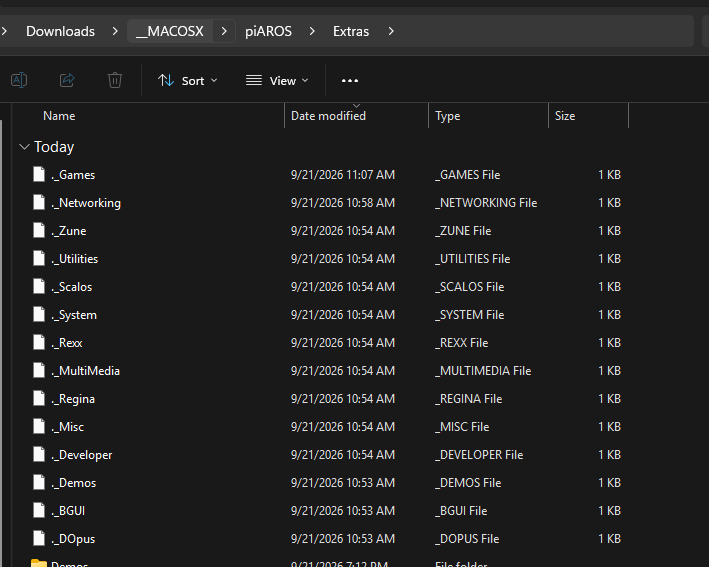
I noticed you zipped the content on a mac which adds all bunch of dot files. You may want to run a dot_clean (https://ss64.com/mac/dot_clean.html) command on the folder before zipping it. Just to keep things clean for us poor Windows users Wink

www.arosworld.org/infusions/forum/attachments/screenshot_2026-09-21_192413.png


Edited by amigamia on 21-09-2026 19:27, 4 days ago
amigamia attached the following image:
screenshot_2026-09-21_192413.png
B
BohunMember
Posted 4 days ago
Thank you for your report. The dots have been cleaned and the archive replaced.
Edited by Bohun on 22-09-2026 02:52, 4 days ago
A
ahaJunior Member
Posted 3 days ago
@Bohun

A user on amiga-news.de tested PiAROS on a Pi400 (http://amiga-news.de/de/forum/thread.php?id=36673&BoardID=6) and got the following error:

https://postimg.c...

Do you know what could be wrong?
Edited by amigamia on 22-09-2026 06:57, 3 days ago
B
BohunMember
Posted 3 days ago
I can only test this on the RPi 3 (and the 500+, though that isn't supported yet). It’s a lesson for the future to run internal tests on the 4/400 first, so I’ll need help from someone who owns that hardware.
Tomorrow, I’ll try to prepare a new version based on the latest nightly build and ask an RPi 400 owner to test it before release.
amigamiaamigamiaAdmin
Posted 3 days ago
I have a pi 400. Will report soon. SD-Card I use for it, is giving me problems when I copy files onto it.
aha, Bohun, miker1264
J
jimazNewbie
Posted 3 days ago
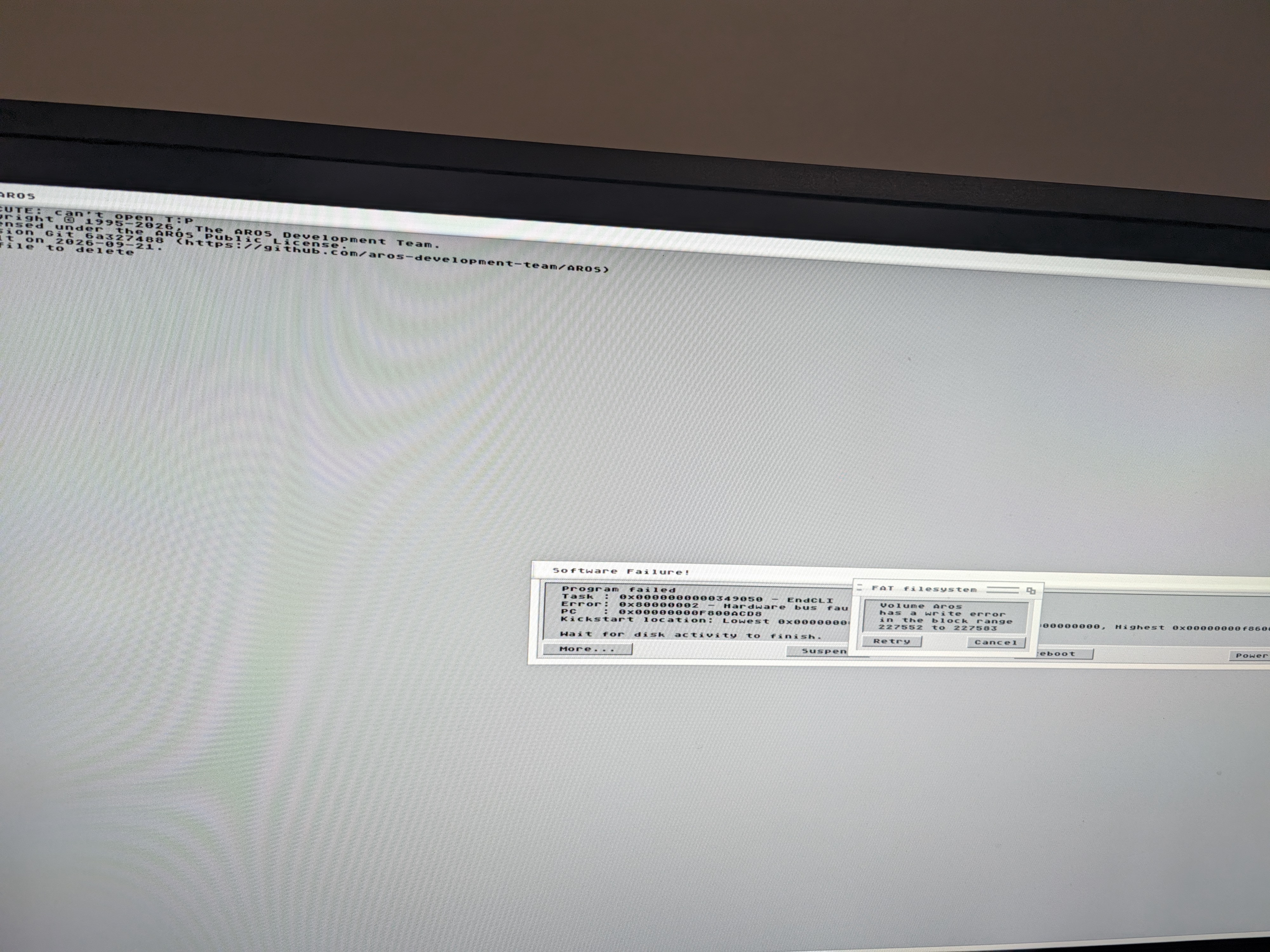
Similar error on a zero 2w as @aha is reporting.
jimaz attached the following image:
pxl_20260922_123327965.jpg
B
BohunMember
Posted 3 days ago
Your screenshot shows a system disk read error. Are you sure about the quality of the card? Unfortunately, the Raspberry Pi is very sensitive to the quality of MicroSD cards. If you can test it with a different card, you’ll be able to determine whether the issue lies with the card or the system.

ArgoArgoJunior Member
Posted 3 days ago
Yes, the rPi likes a fast SD card Learned that when setting up my BMC64 on a Pi 2 Walmart's ONN brand, and likely other cheap brands, are not good enough Think of what cameras require for photo and video A card with large and fast data transfer speeds

I have a Pi Zero 2 W, Pi 2, Pi 3B+, Pi 4, and Pi 5
Anything specific need the paces run on it
J
jimazNewbie
Posted 3 days ago
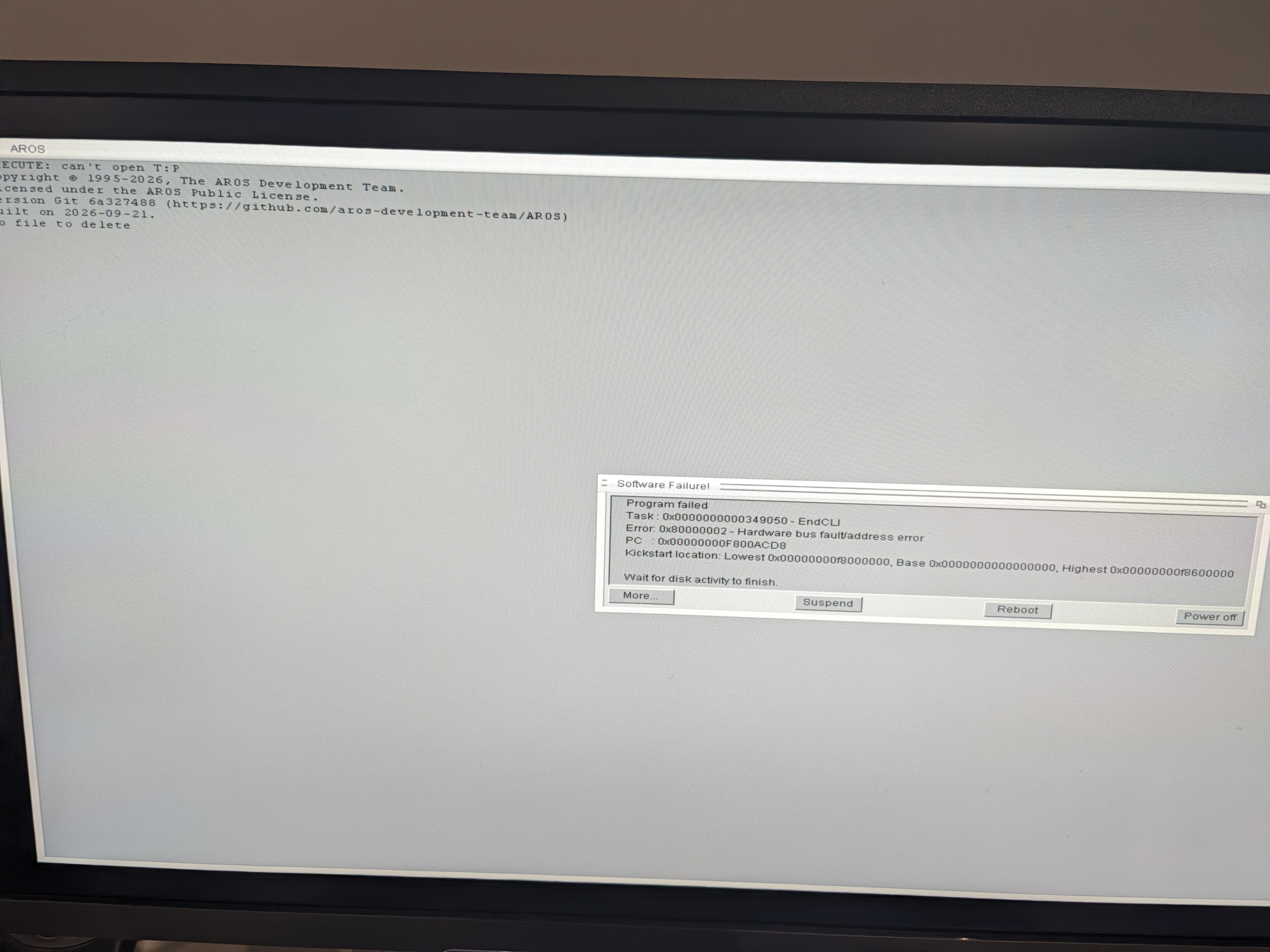
My first card with write error was a SanDisk ultra that never gave me any issues on the Pi before, but tried with another older Samsung card and no write error this time.

However, the other error still remains.
jimaz attached the following image:
pxl_20260923_063122217.jpg
B
BohunMember
Posted 3 days ago
Click "Suspend" and, if necessary, press Enter twice afterwards to see if the system finishes loading. This is just a test, as an RPi 400 user reported that the system works after dismissing that message. Of course, this needs to be fixed, and I will try to prepare an archive with today's Nightly Build. It is possible that the bug has been resolved.
J
jimazNewbie
Posted 2 days ago
Thanks for the feedback and suggestion @Bohun. Sadly USB mouse/keyboard appears unresponsive.

Would be interesting to see if it can get booted on the zero 2w, but what I'm really hoping for is eventual support for the Pi 500. 🙂
amigamiaamigamiaAdmin
Posted 2 days ago
Same exact error on pi400. This is not an SD card problem. I am using a high speed card which worked fine with standard AROS Arm files or anything else that can run on Pi400.

But as @Bohun mentioned, you can suspend the error and close the error windows, and actually continue to use. I couldn't get connected to WiFi but was in a rush and didn't really focus on why it couldn't.
ArgoArgoJunior Member
Posted 2 days ago
I tried it on 2 of my Raspberry Pi 5s with no luck I just got the Cat's Eyes with Waiting for Bootable Media
I use the official PSU with all my Pis and SanDisk ImageMate or better SD cards

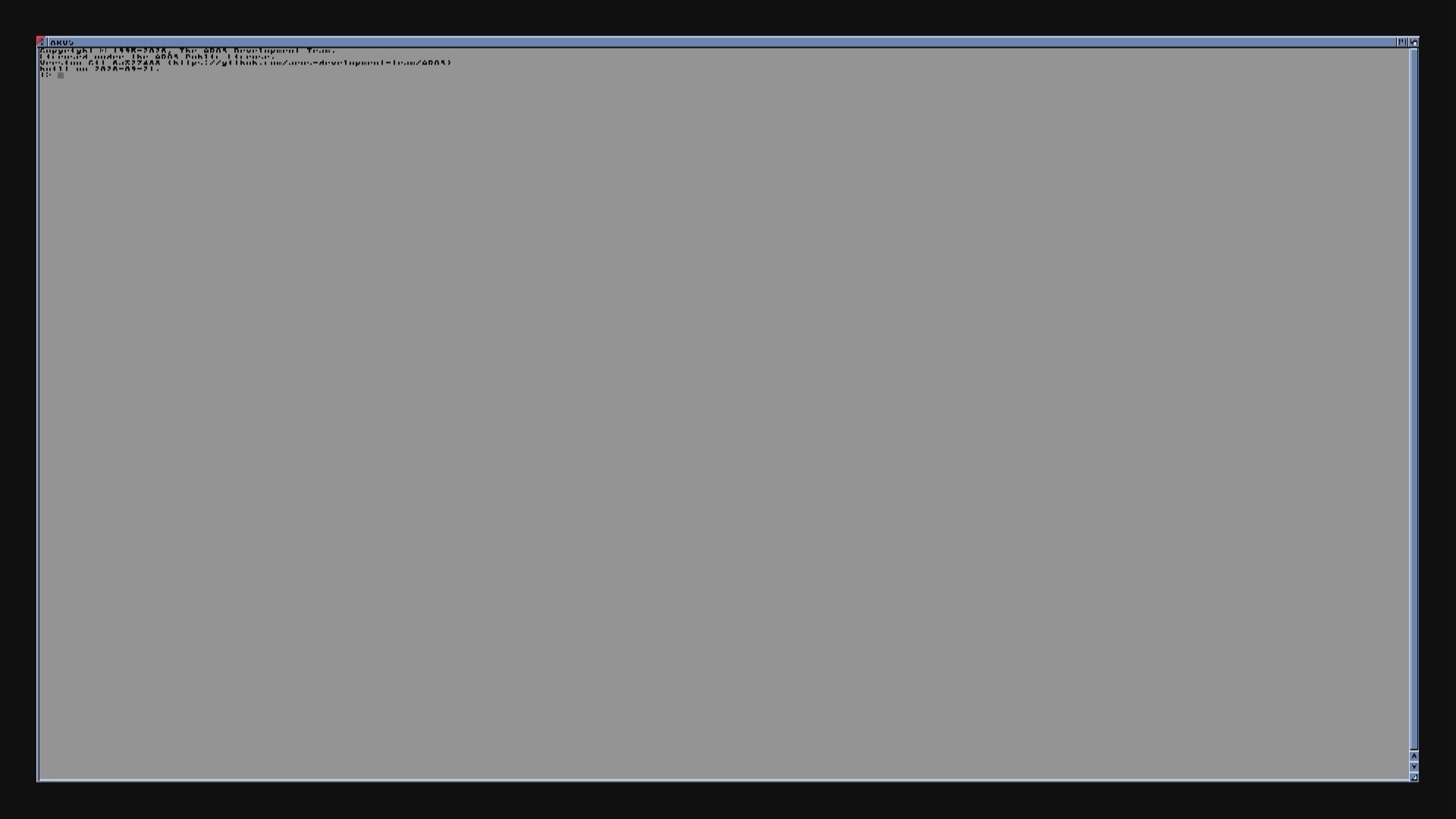
I also tried it on a 3B+ The attached screenshot is what I got
Here is a video of the boot captured via Camlink: https://photos.ap...cJyYVAH2Q7

Is there something I'm doing wrong or missing a step The SD card is FAT formatted, and I just copied the files over from the piAROS directory after extraction
Argo attached the following image:
win_20260923_01_13_39_pro.jpg
B
BohunMember
Posted 2 days ago
Only today's NB build works with the RPi 5.
It’s hard for me to say why you’re seeing that behavior on the 3B+. I once encountered a screen like that—with a strange triangular cursor and no response to mouse movements—but it was fine after a restart.
Since NB is already booting on the 500+, I’m putting off the piAROS update until tomorrow (hoping it will be more stable).

B
BohunMember
Posted 2 hours ago
Today's Nightly Build seems more stable than previous ones. Unfortunately, due to travel, I couldn't test it on the RPi 500+. I did test it on the RPi 3B+, and it runs stably. Networking works a bit better, though I get the impression it's slower. I swapped the "distro" for an archive.org version, but a heavily stripped-down one; from the *contrib* package, I only included *Extras*. Apart from that, it includes the usuals: Amelinium, Emalinium, TelegramAmiga, and SuperTrevor...
I’d be grateful if you could check how it runs on your configurations. If someone confirms it works on hardware other than mine, I’ll be able to announce the new file on the Raspberry Pi forum.

https://archive.org/details/piAROS
You can view all discussion threads in this forum.
You cannot start a new discussion thread in this forum.
You cannot reply in this discussion thread.
You cannot start on a poll in this forum.
You cannot upload attachments in this forum.
You can download attachments in this forum.
Moderator: Administrator
Users who participated in discussion: amigamia, aha, deadwood, Argo, OlafSch, Jeff1138, jimaz, Bohun