 tommywJunior Member
Posted
9 months agoHello dear ones and happy holidays.
I’m running a Dell Latitude D610 laptop with Aros pc i386 build, an older version.
Everything works great, spruced up with some features and programs, games from an Icaros. Now you want to use it for the Internet as well, and I’ve read that only a Netgear WG111v3 is supposed to work here. I have this, and with the Realtek8180 driver everything starts, and all routers in the vicinity are displayed, but unfortunately it won’t connect—‘no route to host’ always appears with the ping command, and ifconfig net0 only shows zeros.
In the network preferences, I’ve set everything to obtain automatically and checked hidden.
Before I swap the WLAN card, which is an Intel PRO/Wireless 220BG (Calexico2), I want to ask you first if there are any other possibilities.
Best regards,
Thomas
tommywJunior Member Posted
9 months agoHello,
I have installed the above-mentioned driver, but nothing has changed, the same status as before. I also added the script and it works so far. I am using a Fritz!Box 7590 HL as the router here with WPA2 and I am using a guest access and a repeater. The Wireless Manager shows everything and even all the neighbors, but still no connection.
No matter which ping I use: no route to host. I’ve also tried setting other DNS servers, but that didn’t help either. Only when I manually entered the data in the network preferences did something change. Ipconfig showed the addresses again and ping was accepted, yet after a while the no route to host message still appeared. I’ve also tried the latest Aros nightly build from 2025, but that didn’t go online either. In a VirtualBox on Windows 10, the internet works perfectly.
Regards
When debugging a wireless connection, you need to remember that there are two main phases involved in setting up the connection: first, WirelessManager creates a connection to the router, and after that AROSTCP creates a TCP/IP connection on top.
So if WirelessManager doesn't fully connect to the router, don't bother trying TCP/IP stuff. Concentrate on WirelessManager's output for now: turn off the "Start networking on boot" checkbox in Network prefs, save and reboot, then open a shell and run the following:
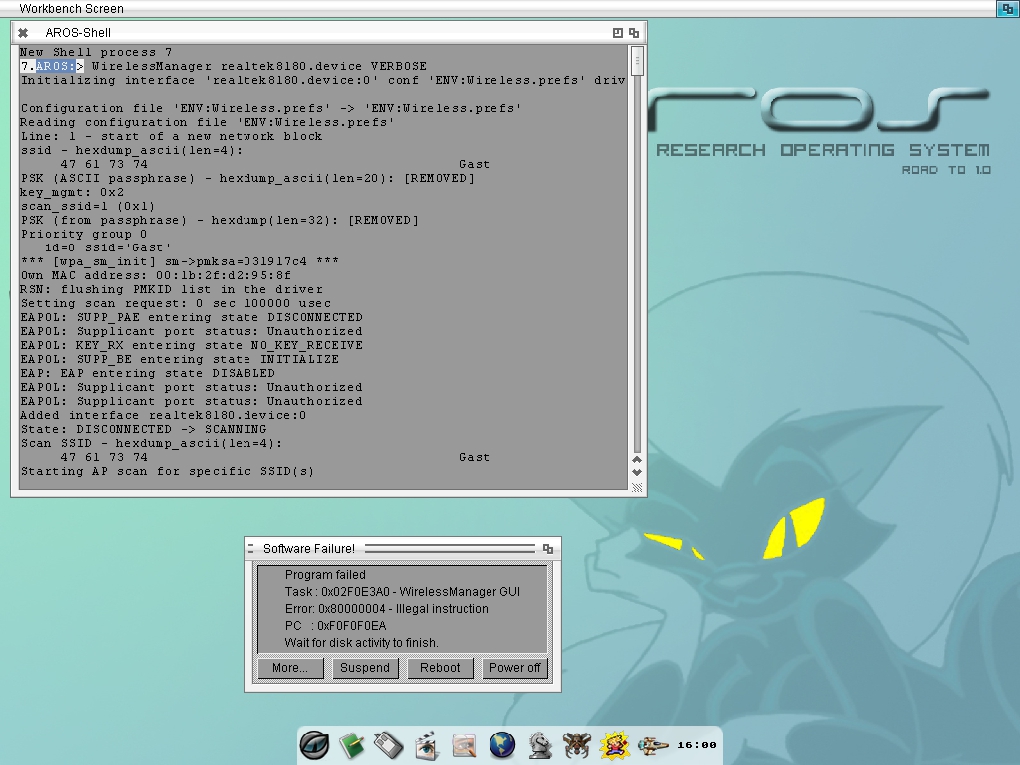
WirelessManager realtek8180.device VERBOSE
What does it report? Feel free to share a screenshot of its final output.
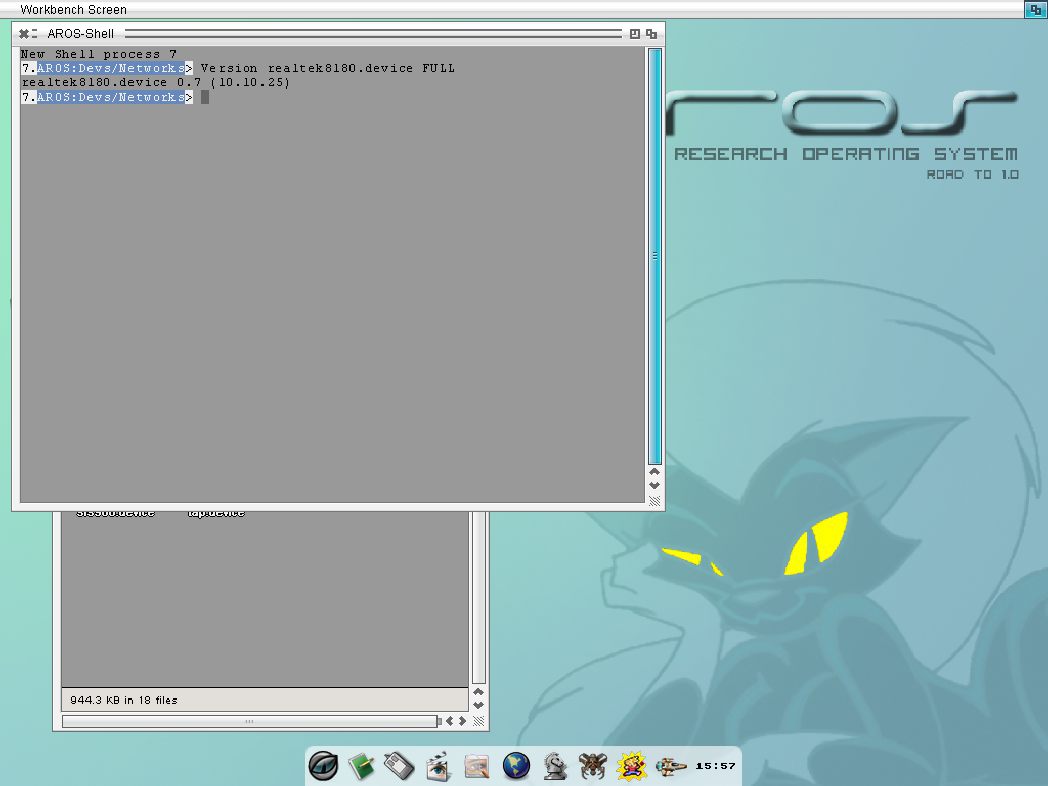
Also, double check the new version is installed correctly by running this command afterwards:
Version realtek8180.device FULL
P.S. The script from 2016 shouldn't be needed with the latest driver version.
Edited by ncafferkey on 25-12-2025 22:22,
9 months agotommywJunior Member Posted
9 months agoHi,
here are some screenshots:
tommyw attached the following image:
 AMIGASYSTEMDistro Maintainer
Posted
9 months agotommyw, which distribution are you using, Icaros?
tommywJunior Member Posted
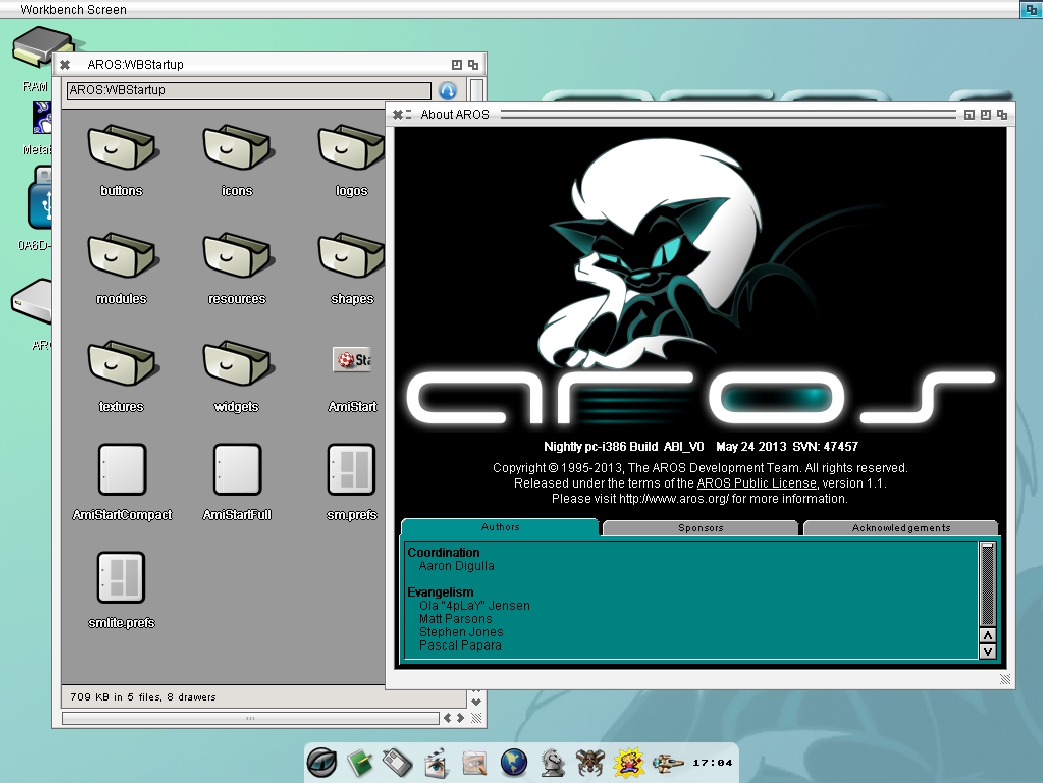
9 months agoAros nightly build pc-i386 refreshed with some features and programs from an older Icaros pc-i386 version 1.5.2.
Edited by tommyw on 26-12-2025 12:12,
9 months ago
tommyw attached the following image:
AMIGASYSTEMDistro Maintainer Posted
9 months agotommyw i tested both the latest build and my Aros One 32bit and Netgear WG111v3 on my Acer One Z5 with the new Realtek 8180 works very well, even SMB2 works well. Follow the advice given by ncafferkey; in some cases, you just need to disable/re-enable the network to make it work.
Icaros cannot be mixed with the new builds; you will only receive Guru. As already mentioned, there are incompatibilities con i nuovi Core (incorrect but meaningful term).
Sorry about the Guru: that's a known issue in WirelessManager that's fixed in 64-bit but may not have been backported to 32-bit yet (I hope to check that soon). For now, you can avoid the problem by adding the NOGUI parameter to the command line when running WirelessManager.
The verbose output mostly looks OK. Sometimes it can happen that the connection attempt times out because the shell/console is too slow outputting so much text, so you may need to either drop the VERBOSE parameter or redirect output to a file, e.g. by adding >T:wifi.log to the end of the command. You can then review it afterward with e.g. "Edit T:wifi.log".
New 32-bit WirelessManager attached. Fixes crash at exit and has improved Ctrl-C handling.
ncafferkey attached the following file:
tommywJunior Member Posted
9 months agoThanks ncafferkey. After I installed the 2025 version of ABi + the latest driver, tried everything described here, and still can't get a connection, I guess I will have to give up and accept that this Dell D610 + Aros + Fritz!Box won't work together. What worked back in 2016 with a different router is unfortunately denied to me here. On the last ping: cannot open bsdsocket.library version 3.
tommywJunior Member Posted
9 months agoI also installed Aros One with the latest drivers and the new wireless manager. Despite this, I received the same error messages. I will now check the functionality of the Wi-Fi adapter. The chipset is not displayed in Poseidon. What does "Vendor" mean? Linux or Windows connect to the Fritz!Box without any problems.
AMIGASYSTEMDistro Maintainer Posted
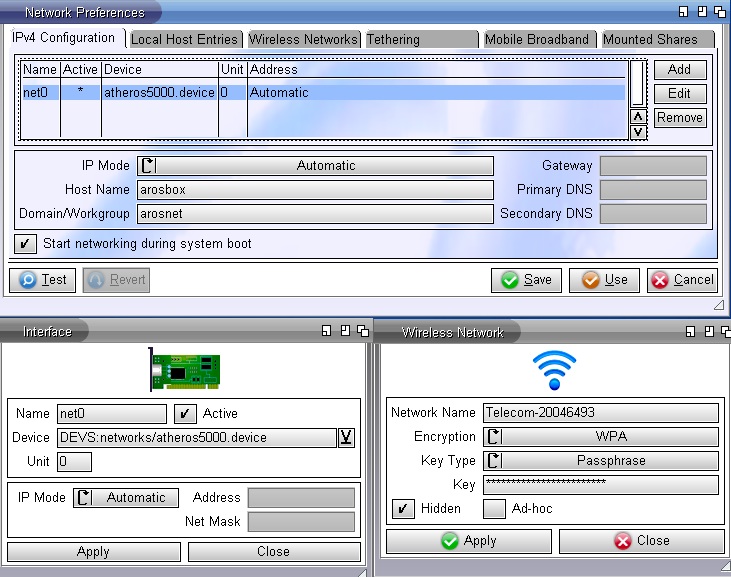
9 months agoTIM (Telecom Italia), Italy's leading national provider of telecommunications services, Router LAN / Wi-Fi (Fibre) WPA-PSK AES 256 bit.
Vendor= Seller
AMIGASYSTEM attached the following image: